

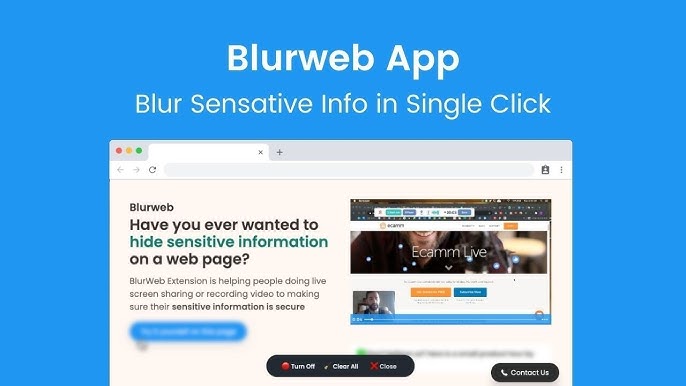
In the digital age, protecting sensitive information during screen sharing is crucial. Blurweb App offers a solution.
Blurweb App is a browser extension designed to blur sensitive data during live or recorded video sessions. With a single click, you can blur specific areas, ensuring privacy without post-production edits. This tool integrates with platforms like Google Meet, Loom, Microsoft Teams, and Zoom. It supports GDPR compliance, making it a reliable choice for professionals. The app is available as a Chrome extension and Firefox add-on. Its features include single-click blurring, the ability to draw rectangles to blur areas, and keeping blur effects even after reloading pages. If you’re seeking an efficient, user-friendly tool to maintain privacy, Blurweb App could be the answer. Explore more about it here.
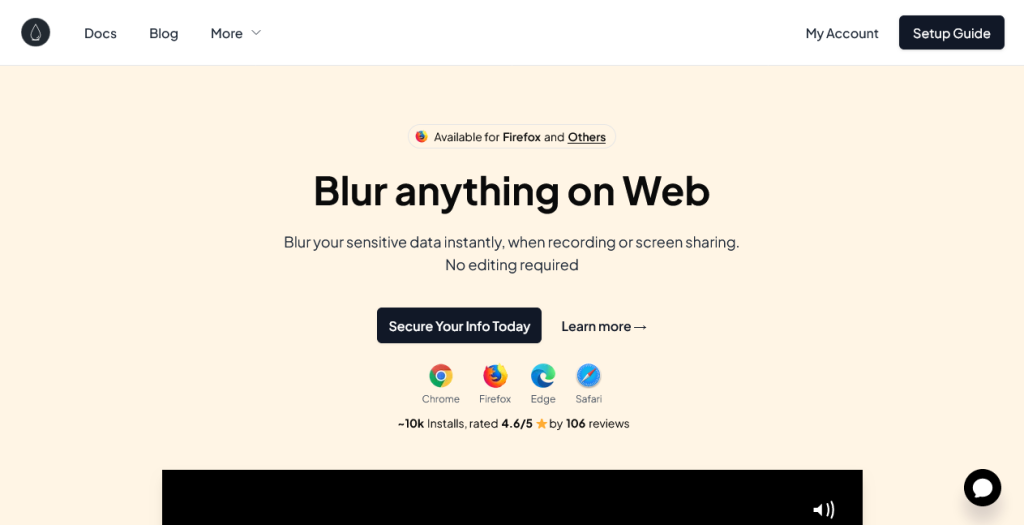
Introduction To Blurweb App
In today’s digital world, protecting sensitive data is crucial. Blurweb App offers an effective solution for those who record or share their screens. This browser extension ensures privacy and security in live or recorded sessions.
What Is Blurweb App?
Blurweb App is a browser extension designed for video creators. It helps blur sensitive information on screens during live or recorded sessions. With a single click, users can blur specific areas, ensuring privacy without post-production edits.
Purpose And Importance Of Blurweb App
The primary purpose of Blurweb App is to protect sensitive data during screen sharing or recording. Here are some key points:
- Privacy Protection: Prevents accidental exposure of sensitive information.
- Efficiency: Eliminates the need for tedious post-production edits.
- Live Session Security: Ensures data remains private during live video sessions.
- Ease of Use: Simple and user-friendly interface for quick blurring.
Main Features
- Single Click Blurring: Easily blur images, paragraphs, or input fields with one click.
- Blur Area Feature: Draw a rectangle to blur specific areas on a webpage.
- Keep Blur: Retain blurring effects even if the webpage is reloaded.
- Browser Extensions: Available as Chrome extension and Firefox add-on.
- Integration: Supports Google Meet, Loom, Microsoft Teams, and Zoom.
- GDPR-compliant: Ensures data privacy and compliance with GDPR regulations.
Pricing Details
| Plan | Price | Devices/Browsers | Features |
|---|---|---|---|
| Plan 1 | $17 (originally $28) | 3 | All standard features included |
| Plan 2 | $34 (originally $56) | 6 | All standard features included |
| Plan 3 | $51 (originally $84) | 9 | All standard features included |
Refund And Return Policies
Money-Back Guarantee: 60-day refund policy. Try the app for 2 months and get a full refund if it doesn’t meet your needs.
Key Features Of Blurweb App
The Blurweb App provides an efficient way to maintain privacy during live or recorded sessions. Its key features cater to content creators who need to blur sensitive information quickly and effectively. Below are some of the standout features that make Blurweb App an essential tool for video creators.
Instant Blur Capability
With Blurweb App, you can blur images, paragraphs, or input fields with a single click. This feature is particularly useful during live sessions where quick action is required. The Single Click Blurring ensures that your sensitive data remains private without any hassle.
Customizable Blur Regions
The Blur Area Feature allows users to draw a rectangle to blur specific areas on a webpage. This customization ensures that only the required sections are blurred, giving you control over your content’s visibility. You can also Keep Blur to retain the blurring effects even if the webpage is reloaded.
User-friendly Interface
Blurweb App boasts a simple and user-friendly interface. The ease of use is a significant benefit, especially for those who are not tech-savvy. The browser extension is designed for quick and easy blurring, making it a breeze to use.
Cross-platform Compatibility
Blurweb App is available as a Chrome extension and Firefox add-on. It supports popular platforms like Google Meet, Loom, Microsoft Teams, and Zoom. This broad compatibility ensures that you can use the app across different devices and browsers seamlessly.
Privacy And Security Enhancements
The app is GDPR-compliant, ensuring that your data privacy is maintained. It prevents accidental exposure of sensitive information, especially during live video sessions. By eliminating the need for tedious post-production edits, Blurweb App enhances both privacy and efficiency.
| Plan | Price | Devices/Browsers | Features |
|---|---|---|---|
| Plan 1 | $17 (originally $28) | 3 | All standard features included |
| Plan 2 | $34 (originally $56) | 6 | All standard features included |
| Plan 3 | $51 (originally $84) | 9 | All standard features included |
Blurweb App also offers a 60-day money-back guarantee. You can try the app for two months and get a full refund if it doesn’t meet your needs. This ensures that you can evaluate its features risk-free.
Pricing And Affordability
The Blurweb App offers a range of pricing plans that make it accessible to different users. Let’s explore the details of its pricing structure, cost-effectiveness compared to competitors, and value for money.
Lifetime Deal Pricing Structure
The Blurweb App provides three lifetime deal plans, each with its own set of features and device access. Here is a breakdown of the pricing structure:
| Plan | Original Price | Discounted Price | Device/Browser Access |
|---|---|---|---|
| Plan 1 | $28 | $17 | 3 Devices/Browsers |
| Plan 2 | $56 | $34 | 6 Devices/Browsers |
| Plan 3 | $84 | $51 | 9 Devices/Browsers |
Cost-effectiveness Compared To Competitors
The Blurweb App’s pricing is competitive when compared to similar tools in the market. Most competitors charge monthly or annual fees, which can add up over time. With Blurweb’s one-time purchase plans, users avoid recurring costs, making it a cost-effective choice for long-term use.
- One-time purchase vs. recurring subscription costs
- Access to all standard features without extra charges
- Includes support for multiple devices and browsers
Value For Money
With its user-friendly interface and robust features, Blurweb App offers excellent value for money. The app’s ability to blur sensitive information with a single click ensures privacy and security during live or recorded sessions.
- Eliminates the need for post-production edits
- Supports major platforms like Google Meet, Loom, Microsoft Teams, and Zoom
- GDPR-compliant for data privacy
Additionally, the 60-day money-back guarantee provides peace of mind, allowing users to try the app risk-free. This makes the Blurweb App a reliable and affordable solution for content creators and professionals alike.

Credit: www.grabltd.com
Pros And Cons Of Blurweb App
The Blurweb App is a powerful tool for video creators. It helps you blur sensitive data during live or recorded sessions. Understanding its pros and cons can help you decide if it fits your needs.
Advantages
- Single Click Blurring: Easily blur images, paragraphs, or input fields with one click.
- Blur Area Feature: Draw a rectangle to blur specific areas on a webpage.
- Keep Blur: Retain blurring effects even if the webpage is reloaded.
- Browser Extensions: Available as Chrome extension and Firefox add-on.
- Integration: Supports Google Meet, Loom, Microsoft Teams, and Zoom.
- GDPR-compliant: Ensures data privacy and compliance with GDPR regulations.
- Privacy Protection: Prevents accidental exposure of sensitive information.
- Efficiency: Eliminates the need for tedious post-production edits.
- Live Session Security: Ensures data is kept private during live video sessions.
- Ease of Use: Simple and user-friendly interface for quick blurring.
Limitations
- Available only as browser extensions for Chrome and Firefox.
- May require manual adjustments for complex web pages.
- Does not support all web applications outside of the listed integrations.
Pricing Details
| Plan | Price | Devices/Browsers | Features |
|---|---|---|---|
| Plan 1 | $17 | 3 | All standard features included |
| Plan 2 | $34 | 6 | All standard features included |
| Plan 3 | $51 | 9 | All standard features included |
Money-Back Guarantee: The Blurweb App offers a 60-day refund policy. Try the app for 2 months and get a full refund if it doesn’t meet your needs.
Ideal Users For Blurweb App
The Blurweb App is an essential tool for anyone who needs to protect sensitive information during screen sharing or recording sessions. This browser extension simplifies the process of blurring specific areas on a webpage, ensuring privacy and security without the need for post-production edits.
Best Scenarios For Use
- Live Video Sessions: Blur sensitive data during live sessions on Google Meet, Zoom, or Microsoft Teams.
- Recorded Videos: Use in Loom to ensure private information stays hidden in recorded content.
- Webinars and Tutorials: Protect confidential information during educational sessions or public webinars.
- Client Meetings: Safeguard client data while sharing screens in professional meetings.
Recommendations For Specific Professions
| Profession | Usage |
|---|---|
| Teachers and Educators | Use the Blurweb App during online classes to protect student information. |
| Content Creators | Ensure privacy in tutorials and recorded videos without extra editing work. |
| Business Professionals | Safeguard sensitive business data during virtual meetings and presentations. |
| Healthcare Providers | Blur patient information during telehealth sessions to maintain confidentiality. |
| Legal Professionals | Protect client data during online consultations and document sharing. |
The Blurweb App is a user-friendly tool that offers single-click blurring, making it perfect for anyone who needs to ensure data privacy with ease. Whether you’re in education, content creation, business, healthcare, or law, this app helps maintain confidentiality and security effortlessly.

Credit: www.youtube.com
Frequently Asked Questions
What Is Blurweb App?
Blurweb App is a tool that helps you blur sensitive information on your screen during presentations or recordings.
How Does Blurweb App Work?
Blurweb App works by allowing you to select and blur specific areas of your screen with just a click.
Is Blurweb App Easy To Use?
Yes, Blurweb App is designed to be user-friendly with an intuitive interface, making it easy for anyone to use.
Can Blurweb App Be Used On All Devices?
Blurweb App is compatible with most devices, including Windows, macOS, and various web browsers.
Conclusion
Blurweb App proves to be a valuable tool for content creators. It simplifies the process of blurring sensitive data with ease. The one-time purchase options make it an affordable choice. The app’s integration with popular platforms ensures broad usability. Protect your privacy effortlessly during screen sharing or recordings. For more details, check the Blurweb App Lifetime Deal. Give it a try and see the difference it can make.

