

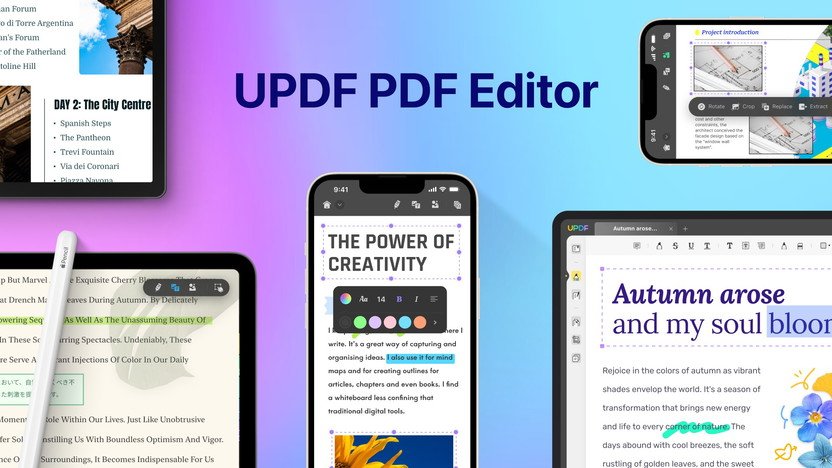
Editing PDFs can be a real hassle without the right tools. Finding a reliable PDF editor that works across all your devices might seem impossible.
But UPDF promises to change that. UPDF offers a comprehensive PDF editing solution for Windows, macOS, iOS, and Android. This AI-integrated tool allows you to edit, annotate, convert, and organize your PDFs effortlessly. Whether you need to insert text, convert files to different formats, or protect sensitive information, UPDF has you covered. With a lifetime deal at an unbeatable price, it’s an attractive option for individuals looking to simplify their PDF tasks. Dive into our full review to learn more about UPDF’s features and see if it’s the right fit for you. Explore the UPDF Lifetime Deal here.
Introduction To Updf
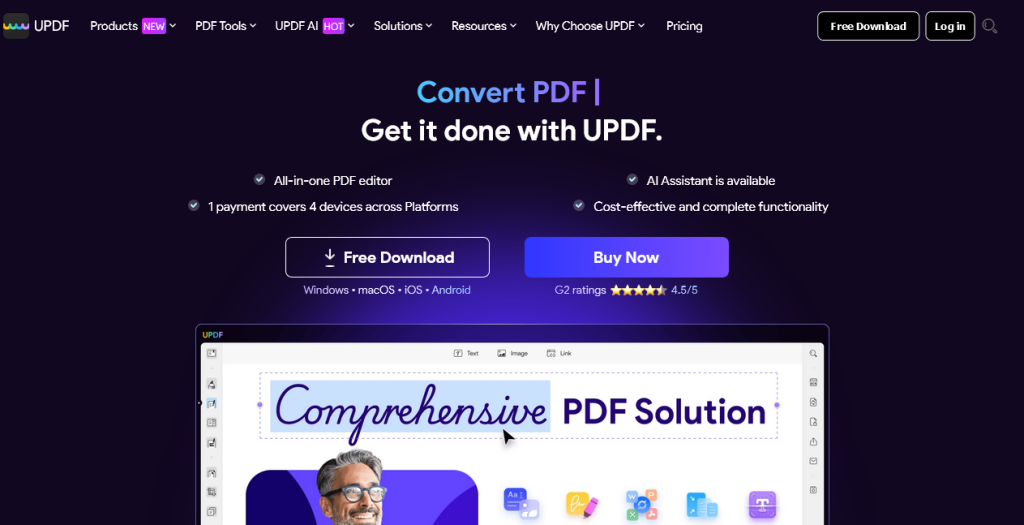
UPDF – PDF Editor All Platforms for Individuals is a versatile tool. It caters to various needs including editing, annotating, converting, and organizing PDFs. This powerful PDF editor works on multiple platforms like Windows, macOS, iOS, and Android. The tool is designed to be user-friendly and efficient for personal and professional use.
What Is Updf?
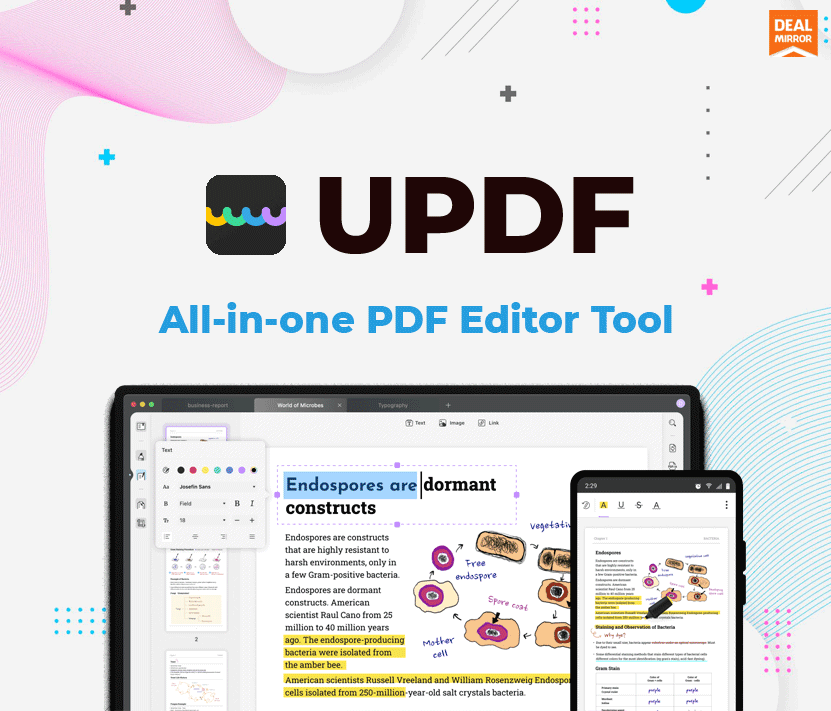
UPDF is an AI-integrated PDF editor. It allows users to manage PDF documents effortlessly. You can edit text, images, and links, change fonts, and add watermarks. UPDF supports PDF conversion to various formats like Word, Excel, PowerPoint, and more without losing the original format. The OCR feature enables converting scanned PDFs into editable documents, supporting over 38 languages.
Purpose And Audience
The primary purpose of UPDF is to simplify PDF management across different platforms. It is ideal for individuals who frequently handle PDF documents. Whether you are a student, professional, or business owner, UPDF offers tools to enhance productivity and document management efficiency.
UPDF provides features for:
- Editing PDFs: Add or delete text, modify images, and more.
- Annotating PDFs: Highlight, underline, and add various annotations.
- Converting PDFs: Convert to Word, Excel, and other formats.
- Organizing PDF pages: Insert, replace, split, and reorder pages.
- Protecting PDFs: Add passwords and redact sensitive information.
- Creating and filling PDF forms: Interactive forms with text fields, checkboxes, and signatures.
- Comparing PDFs: Identify differences between two PDF files.
| Feature | Description |
|---|---|
| Edit PDF | Add or delete texts, edit fonts, colors, sizes, add or modify images, links, and more. |
| Conversion | Convert PDFs to various formats without losing the original format. |
| OCR | Convert scanned PDFs into editable documents, supporting over 38 languages. |
| Annotate PDF | Highlight, underline, strikethrough, add shapes, stamps, and signatures. |
| Organize PDF Pages | Insert, replace, split, rotate, delete, and reorder pages. |
| Protect PDF | Add passwords, redact sensitive information, and add watermarks. |
| Create and Fill PDF Forms | Create interactive forms with text fields, checkboxes, and signatures. |
| Compare PDFs | Identify differences between two similar PDF files. |
The UPDF tool offers a one-time purchase deal for $59, providing lifetime access and future updates. It includes lifetime 2GB cloud storage and supports up to four devices. Users can try the product with a 60-day money-back guarantee.
Key Features Of Updf
UPDF – PDF Editor All Platforms for Individuals is packed with powerful features. It is designed to cater to all your PDF editing needs across various platforms. Below are the key features that make UPDF stand out.
Cross-platform Compatibility
UPDF works seamlessly on Windows, macOS, iOS, and Android devices. This ensures you can access and edit your PDFs anytime, anywhere, and on any device. The cross-platform compatibility provides flexibility and convenience, making it ideal for individuals who work on multiple devices.
User-friendly Interface
The interface of UPDF is easy to navigate and user-friendly. Even if you are new to PDF editing, you will find it simple to use. The design is intuitive, ensuring that all the tools and features are easily accessible. This reduces the learning curve and enhances your productivity.
Advanced Editing Tools
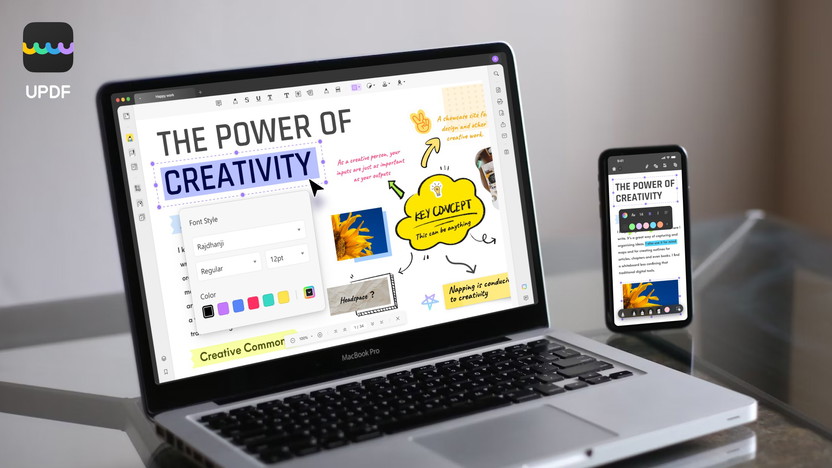
UPDF offers a comprehensive suite of editing tools. You can add or delete texts, edit fonts, colors, and sizes. Modify images, links, watermarks, headers, footers, and backgrounds. These advanced tools allow you to make precise and detailed edits to your PDFs.
| Feature | Description |
|---|---|
| Edit Text | Add or delete texts, edit fonts, colors, sizes. |
| Modify Images | Add or modify images, links, watermarks. |
| Edit Layout | Edit headers, footers, and backgrounds. |
Annotation And Commenting
UPDF makes it easy to annotate and comment on PDFs. You can highlight, underline, and strike through text. Add shapes, attachments, stamps, stickers, and signatures. This is particularly useful for collaborative work, as it allows clear communication and feedback on documents.
- Highlight text
- Underline and strike through text
- Add shapes, attachments, and stamps
- Use stickers and signatures
Security Features
Protecting your documents is crucial. UPDF offers robust security features. You can add passwords to your PDFs, redact sensitive information, and add watermarks. These features ensure your documents remain secure and confidential.
- Add passwords to PDFs
- Redact sensitive information
- Add watermarks for protection
Pricing And Affordability
When considering any software, pricing and affordability play a crucial role in the decision-making process. UPDF offers a compelling lifetime deal that makes it an attractive choice for individuals needing a versatile PDF editor. Let’s delve into the details.
Lifetime Deal Overview
The UPDF lifetime deal is currently available for a one-time purchase of $59. This is a significant discount of 46% off the original price of $109.99. This deal includes lifetime access to UPDF and all future updates. Users can redeem this on up to 4 devices (2 desktops + 2 mobiles), making it a versatile option for individuals who use multiple platforms.
Cost Comparison With Competitors
| Product | Price | Lifetime Access | Device Limit |
|---|---|---|---|
| UPDF | $59 | Yes | 4 (2 desktops + 2 mobiles) |
| Adobe Acrobat Pro | $179.88/year | No | 2 (1 desktop + 1 mobile) |
| Foxit PDF Editor | $159.00 | Yes | 1 |
| PDFelement | $129.00 | Yes | 1 |
As the table shows, UPDF offers a more affordable price with a higher device limit compared to its competitors. This makes it a cost-effective choice for those needing a robust PDF editor across multiple platforms.
Value For Money
The UPDF lifetime deal includes a wealth of features such as:
- Edit PDF: Add or delete texts, edit fonts, colors, sizes, add or modify images, links, watermarks, headers, footers, and backgrounds.
- Conversion: Convert PDFs to Word, Excel, PowerPoint, images, HTML, text, CSV, XML, PDF/A without losing formats.
- OCR: Convert scanned or image-based PDFs into searchable and editable documents, supporting over 38 languages.
- Annotate PDF: Highlight, underline, strikethrough, add shapes, attachments, stamps, stickers, signatures, and measure distances, perimeters, and areas.
- Organize PDF Pages: Insert, replace, extract, split, rotate, delete, and reorder pages.
- Protect PDF: Add passwords, redact sensitive information, and add watermarks.
- Create and Fill PDF Forms: Create interactive forms with text fields, checkboxes, radio buttons, and more, and add digital signatures.
- Compare PDFs: Identify differences between two similar PDF files.
With these comprehensive features and cross-platform compatibility, the UPDF lifetime deal provides excellent value for money. Users also benefit from lifetime 2GB cloud storage and a user-friendly interface, making PDF management seamless and efficient.
Pros And Cons Of Updf
UPDF is a powerful PDF editor that caters to various needs across multiple platforms. It’s important to understand its strengths and weaknesses before making a purchase decision. Below, we delve into the pros and cons of UPDF based on user experiences and areas for improvement.
Pros Based On User Experience
- Cross-Platform Compatibility: UPDF works on Windows, macOS, iOS, and Android. This ensures users can access their documents from any device.
- Editing Features: Users can easily add or delete texts, edit fonts, colors, sizes, and modify images. This versatility helps in creating and editing professional documents.
- Conversion Options: UPDF converts PDFs to Word, Excel, PowerPoint, images, HTML, text, CSV, XML, and PDF/A. This wide range of conversion formats is beneficial for various needs.
- OCR Technology: The Optical Character Recognition feature supports over 38 languages. This allows users to convert scanned documents into searchable and editable texts.
- Annotation Tools: Highlighting, underlining, strikethroughs, shapes, attachments, stamps, and stickers are all available. These tools enhance document review and collaboration.
- Organize Pages: Users can insert, replace, extract, split, rotate, delete, and reorder pages, making document management seamless.
- Security Features: Adding passwords, redacting sensitive information, and watermarking helps protect documents from unauthorized access.
- Form Creation: Create interactive forms with text fields, checkboxes, and radio buttons. This is useful for creating forms for various purposes.
- Cloud Storage: Lifetime access to 2GB of UPDF Cloud Storage allows secure storage and access to documents from any device.
- User-Friendly Interface: The interface is easy to navigate, making it suitable for users of all skill levels.
Cons And Areas For Improvement
- AI Assistant: The AI Assistant is not included in the lifetime deal. It must be purchased separately for additional features like AI Chat with PDF, translation, and mind mapping.
- Device Limit: The lifetime deal is redeemable on up to 4 devices (2 desktops + 2 mobiles). This may be limiting for users with more devices.
- Cloud Storage Limit: The lifetime 2GB cloud storage may not be sufficient for users with extensive document storage needs.
- Compatibility Issues: The deal is not stackable with other offers and must be redeemed within 60 days of purchase.
- Learning Curve: Although the interface is user-friendly, some advanced features may require time to master.
Ideal Users And Scenarios
UPDF is a versatile PDF editor suitable for a variety of users. Its features make it perfect for those who need reliable PDF editing across multiple platforms. This section will explore who benefits most from using UPDF and the best use cases.
Who Will Benefit Most?
- Students: Ideal for annotating lecture notes, converting documents, and organizing study materials.
- Professionals: Useful for creating, editing, and protecting documents, adding signatures, and converting files for presentations.
- Freelancers: Perfect for managing contracts, invoices, and client forms with features like OCR and digital signatures.
- Researchers: Excellent for highlighting, annotating, and comparing research papers and articles.
- Small Business Owners: Helps in managing forms, contracts, and business documents efficiently.
Best Use Cases For Updf
| Scenario | Features | Benefits |
|---|---|---|
| Editing PDFs | Add or delete texts, edit fonts, colors, images | Customize documents to meet specific needs |
| Annotating Documents | Highlight, underline, add shapes, stamps | Make important information stand out |
| Converting Files | Convert PDFs to Word, Excel, PowerPoint | Maintain original formats during conversion |
| OCR (Optical Character Recognition) | Convert scanned PDFs into editable documents | Make scanned texts searchable and editable |
| Protecting PDFs | Add passwords, redact information, add watermarks | Secure sensitive information and control access |
| Creating and Filling Forms | Create interactive forms with text fields, checkboxes | Easily manage and fill out forms digitally |
| Comparing PDFs | Identify differences between two PDF files | Ensure accuracy and consistency in documents |
Credit: appsumo.com
Credit: dealmirror.com
Frequently Asked Questions
What Is Updf Lifetime Deal?
Updf Lifetime Deal offers a one-time purchase for lifetime access to Updf. It’s a cost-effective PDF editor for all platforms.
How Can Updf Help Individuals?
Updf helps individuals edit, annotate, and manage PDF files efficiently. It supports all operating systems and devices.
Is Updf Available On Multiple Platforms?
Yes, Updf is available on Windows, macOS, iOS, and Android. It’s designed for cross-platform compatibility.
Does Updf Support Collaboration?
Yes, Updf supports real-time collaboration. You can share and edit PDFs with others seamlessly.
Conclusion
UPDF offers a comprehensive PDF editing experience across all platforms. It provides essential features like editing, converting, and protecting PDFs. The lifetime deal is a great value at $59. Easy to use and highly functional for individuals. Ready to enhance your PDF tasks? Check out the UPDF Lifetime Deal for more details.

