


Removing backgrounds from photos can take hours. BackgroundCut makes this easy.
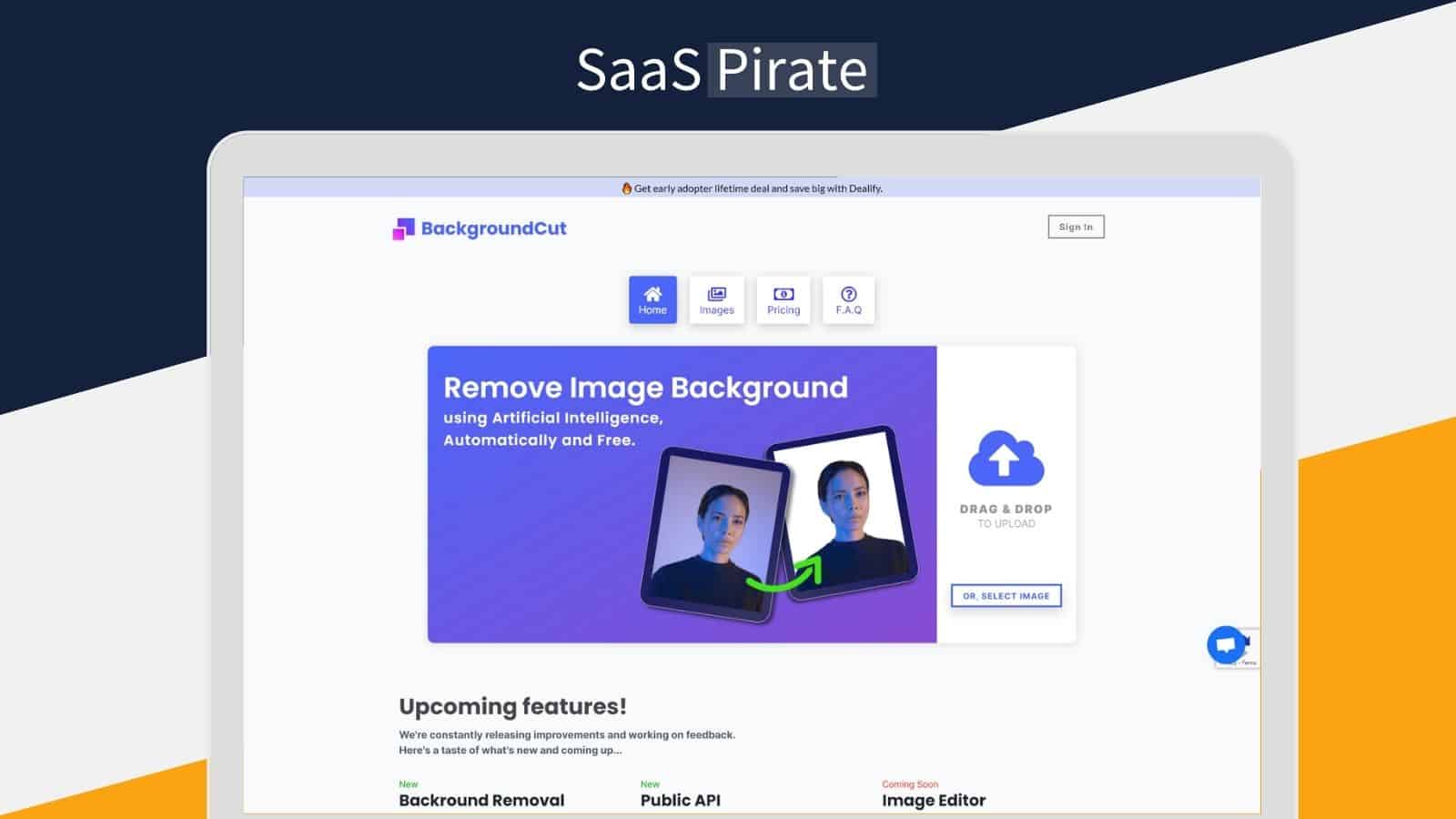
BackgroundCut is an AI-powered tool designed to quickly remove or replace the background of any image. This software uses advanced algorithms to analyze and remove an image’s background with just a single click. It significantly reduces the time and effort required for photo editing. Whether you are a solopreneur or a small business owner, BackgroundCut is a cost-effective solution. With a one-time payment of $59, you get lifetime access. Plus, you receive free updates and 10 API credits per month. Want to know if this tool is right for you? Check out our full review of the BackgroundCut Lifetime Deal and see how it can save you time and money. Learn more about BackgroundCut and its features.
Credit: saaspirate.com
Introduction To Backgroundcut
Removing backgrounds from photos can be tedious. BackgroundCut offers a solution. This AI-powered tool makes background removal quick and easy. It uses artificial intelligence and machine learning for precise edits. Let’s dive deeper into what BackgroundCut is and how it can benefit you.
What Is Backgroundcut?
BackgroundCut is an advanced tool. It is designed to remove or replace image backgrounds. The software uses AI to analyze and edit images with a single click. This speeds up the photo editing process considerably.
BackgroundCut can handle high-resolution images up to 25MP. It offers unlimited use with no credit limits. Users also get API access with 10 credits per month and unlimited rollover. Future updates and integrations are included.
Purpose And Use Cases
The main purpose of BackgroundCut is to save time. It simplifies the process of removing image backgrounds. This tool is beneficial for:
- Solopreneurs: Quickly edit product photos for online stores.
- Small Businesses: Create professional marketing materials without hiring a designer.
- Content Creators: Enhance visual content for social media and blogs.
BackgroundCut is easy to use. Upload an image, click, and get results in under 5 seconds. The one-time payment of $59 provides lifetime access. There are no recurring costs. Users can also try it risk-free with a 60-day money-back guarantee.
BackgroundCut is versatile. It plans to integrate with tools like Chrome, Zapier, and Pabbly. This makes it adaptable to various workflows and platforms.
Key Features Of Backgroundcut
Backgroundcut offers a powerful and efficient solution for removing image backgrounds. Below are the key features that make this tool stand out:
Ai-powered Background Removal
Backgroundcut uses artificial intelligence and machine learning to remove image backgrounds swiftly. The advanced algorithms analyze and remove the background in under 5 seconds. This feature reduces the time and effort required for photo editing significantly.
Batch Processing Capabilities
With Backgroundcut, users can process multiple images at once. This batch processing capability saves even more time, especially for users dealing with large volumes of images.
User-friendly Interface
The tool boasts a simple and intuitive user interface. Users can easily upload images and remove backgrounds with just a single click. The straightforward process makes it accessible for everyone, regardless of their technical skills.
Integration With Popular Tools
Backgroundcut plans to integrate with popular tools like Chrome, Zapier, and Pabbly. These integrations will streamline workflows and enhance productivity by allowing seamless connectivity with other applications.
High-resolution Output
Backgroundcut supports high-resolution images up to 25MP. This ensures that the quality of the images remains intact after background removal. Users can confidently use the tool for professional-grade images without compromising on resolution.
| Feature | Details |
|---|---|
| AI-Powered Background Removal | Removes backgrounds in under 5 seconds using advanced algorithms. |
| Batch Processing Capabilities | Processes multiple images simultaneously, saving time. |
| User-Friendly Interface | Simple upload and click process for easy use. |
| Integration with Popular Tools | Plans for integration with Chrome, Zapier, Pabbly, etc. |
| High-Resolution Output | Supports images up to 25MP without compromising quality. |
Pricing And Affordability
When evaluating the BackgroundCut Lifetime Deal, its pricing and affordability are critical factors. This section will explore the various facets of its cost-effectiveness, ensuring you get the best value for your money.
Lifetime Deal Overview
The BackgroundCut Lifetime Deal is available for a one-time payment of $59. This fee grants lifetime access to the tool, meaning no recurring costs or subscription fees. Users also get:
- Unlimited use with no credit limits
- API access with 10 credits per month
- High-resolution image support up to 25MP
- Free access to all future updates and integrations
This one-time purchase ensures you have continuous access to the tool and all its future enhancements without any additional financial commitment.
Cost Comparison With Competitors
Comparing BackgroundCut with its competitors highlights its affordability:
| Tool | Pricing | Features |
|---|---|---|
| BackgroundCut | $59 (Lifetime) | Unlimited use, API access, 25MP support |
| Competitor A | $9.99/month | Limited use, no API access, 20MP support |
| Competitor B | $99/year | Limited use, API access, 25MP support |
As the table shows, BackgroundCut‘s one-time fee is more affordable in the long run compared to subscription-based models. Many competitors offer similar features but at recurring costs, making BackgroundCut a cost-effective choice.
Value For Money
The BackgroundCut Lifetime Deal provides excellent value for money. With a single payment, users receive:
- Unlimited background removal
- High-resolution support
- API credits
- Future updates and integrations
This package ensures that users are not only getting a tool that saves time and effort but also one that improves continually. The 60-day money-back guarantee further enhances its value, allowing users to try it risk-free for two months.
Overall, the pricing structure of BackgroundCut makes it an affordable and valuable investment for anyone needing efficient and reliable background removal.

Credit: www.grabltd.com
Pros And Cons Of Backgroundcut
BackgroundCut is an AI-powered tool that quickly and easily removes image backgrounds. While it offers numerous advantages, it also has some limitations. Let’s dive into the pros and cons of BackgroundCut.
Pros: Efficiency And Accuracy
BackgroundCut excels in efficiency and accuracy. Here are the main advantages:
- AI and Machine Learning: Utilizes advanced algorithms to remove backgrounds in under 5 seconds.
- High-Resolution Support: Handles images up to 25MP without losing quality.
- Unlimited Use: No credit limits. Users have unrestricted access.
- API Access: Includes 10 API credits per month with unlimited rollover.
- Future Updates: Free access to all future feature releases and integrations.
These features provide a seamless and efficient experience for users. The AI technology ensures accuracy, making BackgroundCut reliable for various projects.
Cons: Limitations And Areas For Improvement
While BackgroundCut offers significant benefits, there are areas for improvement:
- Integration Limitations: Currently plans for integration with Chrome, Zapier, and Pabbly, but not all are available yet.
- API Credits: Only 10 API credits per month, which may be limited for heavy users.
These limitations highlight areas where BackgroundCut could enhance its offerings. Addressing these points could make the tool even more robust and user-friendly.
Overall, BackgroundCut provides a fast and efficient solution for background removal. It balances ease of use with powerful features, making it a valuable tool for solopreneurs and small businesses.
Ideal Users And Scenarios
BackgroundCut is a useful tool for anyone who needs to remove or replace image backgrounds quickly and easily. Its AI-powered features and ease of use make it a practical solution for various users and scenarios.
Who Will Benefit Most?
- Photographers: Professionals and hobbyists can save hours editing photos.
- eCommerce Sellers: Create clean product images for online stores.
- Graphic Designers: Enhance workflow efficiency with quick background removals.
- Social Media Managers: Quickly create engaging content with transparent backgrounds.
- Solopreneurs and Small Businesses: Cost-effective solution for regular image editing needs.
Best Use Cases For Backgroundcut
| Use Case | Description |
|---|---|
| Product Photography | Remove backgrounds from product images to enhance visual appeal. |
| Social Media Content | Create eye-catching posts by removing or changing backgrounds. |
| Marketing Materials | Produce professional brochures, flyers, and ads with clean images. |
| Website Design | Ensure high-quality, transparent images for web design projects. |
| Personal Projects | Quickly edit family photos or create custom greeting cards. |
BackgroundCut’s AI and Machine Learning capabilities make it an ideal tool for anyone involved in photo editing. Its time-saving and cost-effective features are particularly beneficial for users working on tight schedules or budgets.

Credit: saaszilla.co
Frequently Asked Questions
What Is Backgroundcut Lifetime Deal?
Backgroundcut Lifetime Deal is a one-time purchase offer. It provides lifetime access to Backgroundcut’s background removal tool.
How Does Backgroundcut Work?
Backgroundcut uses AI to detect and remove backgrounds. It ensures precision and speed, making the process easy.
Is Backgroundcut User-friendly?
Yes, Backgroundcut is designed for ease of use. Its intuitive interface makes background removal hassle-free for everyone.
Does Backgroundcut Support Multiple File Formats?
Yes, Backgroundcut supports various file formats. It allows users to upload and edit different image types effortlessly.
Conclusion
BackgroundCut simplifies background removal with just one click. This AI-powered tool is a game-changer for photo editing. Save hours of work and enjoy high-resolution support up to 25MP. Suitable for solopreneurs and small businesses, it offers unlimited use and free future updates. Try it risk-free with a 60-day money-back guarantee. Get BackgroundCut today and streamline your photo editing process!

