


Managing tasks, files, and communication can be tricky. Edworking simplifies this by combining everything into one platform.
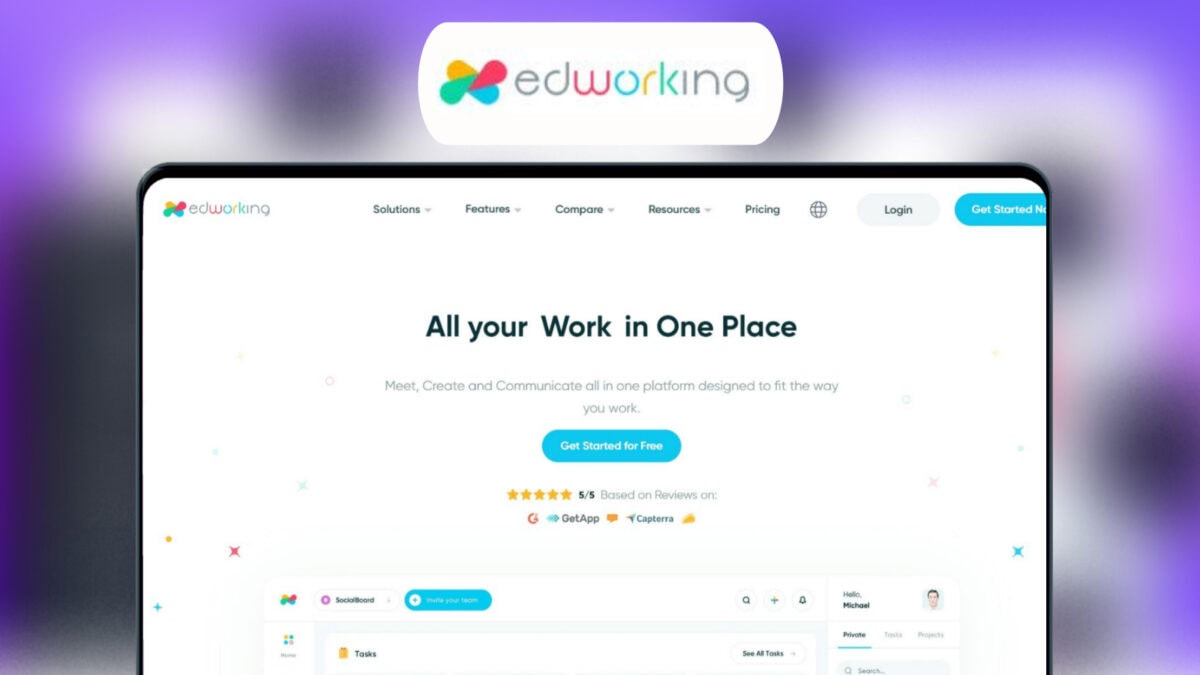
In this review, we’ll dive into the Edworking Lifetime Deal. For freelancers, project managers, and small businesses, Edworking offers an all-in-one solution to streamline project management. With features like customizable Kanban boards, real-time notifications, and HD video calls, it promises to boost productivity and simplify workflows. Priced attractively with lifetime access, Edworking could be the tool you need to centralize and enhance your work process. Let’s explore if this deal is worth your investment. Ready to see if Edworking fits your needs? Keep reading to find out more. Check out Edworking Lifetime Deal here.
Credit: lifetimo.com
Introduction To Edworking And Its Purpose
Welcome to our review of the Edworking Lifetime Deal. Edworking is a powerful platform designed to simplify project management. It integrates task management, file sharing, team communication, and video calls into one seamless tool. This blog section will introduce you to Edworking, its purpose, and how it can benefit you.
What Is Edworking?
Edworking is an all-in-one platform that enhances productivity and streamlines workflows. It combines various essential features to manage projects efficiently:
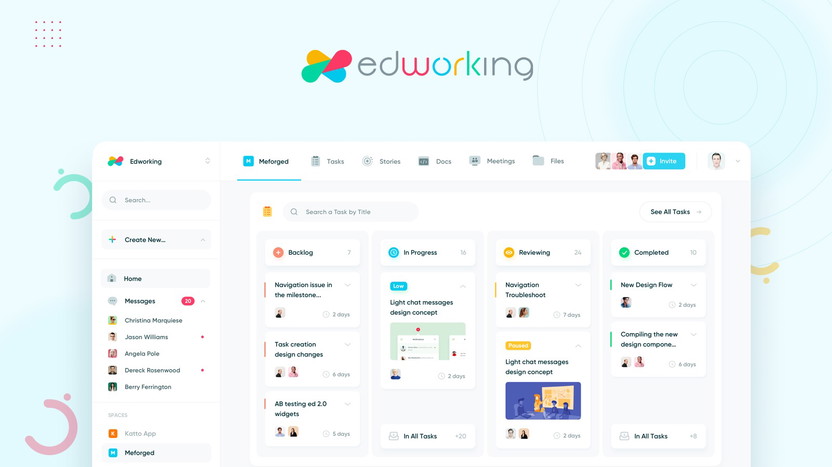
- Customizable Kanban board for task creation and assignment
- Real-time notifications and task prioritization
- Deadline tracking for timely project completion
- Group and private chats
- File sharing and collaboration
- HD video calls within the platform
- Customizable workflows and real-time tracking
- GDPR-compliant
- AI integration
- Integrations with API, G-Suite, Google Calendar, Pabbly Connect, and Zapier
Who Is Edworking For?
Edworking is ideal for:
- Freelancers who need a centralized platform for managing tasks and communication.
- Project managers looking for efficient workflow and team collaboration.
- Small businesses aiming to boost productivity without multiple third-party tools.
Its main benefits include:
- Centralized management of tasks, files, and communication
- Improved team productivity with customizable workflows
- Reduced need for multiple third-party tools
- Enhanced organization with real-time notifications
- Simplified collaboration through instant file sharing and video calls
Overview Of The Lifetime Deal
The Edworking Lifetime Deal offers three plans:
| Plan | Price | Details |
|---|---|---|
| Plan 1 | $69 (originally $360) | 1 workspace, 5 member accounts, unlimited tasks, 1GB per file, unlimited video calls, spaces, docs, iOS and Android app |
| Plan 2 | $138 (originally $720) | 1 workspace, 15 member accounts, unlimited tasks, 1GB per file, unlimited video calls, spaces, docs, iOS and Android app |
| Plan 3 | $207 (originally $1,080) | 1 workspace, 25 member accounts, unlimited tasks, 1GB per file, unlimited video calls, spaces, docs, iOS and Android app |
All plans include:
- 60-day money-back guarantee
- Lifetime access to Edworking
- All future Custom Plan updates
- Redemption within 60 days of purchase
- Option to stack up to 5 codes
- Unlimited Docs access for all users
For more information, visit the Edworking Lifetime Deal page.

Credit: dealysoft.com
Unique Features Of Edworking
Edworking is a powerful all-in-one platform designed to streamline project management. It integrates task management, file sharing, team communication, and video calls. This section explores the unique features that make Edworking stand out.
Collaborative Workspaces
Edworking provides centralized workspaces where teams can collaborate on tasks and projects. Each workspace includes features like:
- Customizable Kanban boards for task creation and assignment
- Unlimited spaces for various projects and teams
- Real-time notifications to keep everyone updated
Real-time Communication Tools
Effective communication is key to team success. Edworking offers several tools to facilitate this:
- Group and private chats for instant messaging
- HD video calls integrated within the platform
- File sharing for seamless collaboration on documents
Task Management And Tracking
Managing tasks efficiently is crucial for any project. Edworking excels in this area with features like:
- Task and subtask creation with prioritization options
- Deadline tracking to ensure timely project completion
- Real-time tracking for up-to-date task progress
Customizable Workflow Options
Every team works differently. Edworking offers customizable workflows to adapt to various needs:
- Adjustable Kanban boards to fit different project structures
- Workflow customization to match specific team processes
- Integration with AI for improved task management
Integrations With Popular Tools
Edworking connects seamlessly with many popular tools, enhancing its functionality:
- API integration for custom tool connections
- G-Suite and Google Calendar for scheduling and document management
- Pabbly Connect and Zapier for automating workflows
Overall, Edworking’s features are designed to boost productivity and simplify workflows. It is ideal for freelancers, project managers, and small businesses.
Pricing And Affordability
Edworking offers a range of pricing plans designed to fit various needs and budgets. This section will delve into the specifics of each plan, compare Edworking with competitors, and analyze the cost-benefit aspects. Understanding these elements will help you make an informed decision about whether Edworking is the right choice for you.
Lifetime Deal Breakdown
Edworking provides three main lifetime deal plans, each tailored to different team sizes and needs. Below is a breakdown of each plan:
| Plan | Price | Features |
|---|---|---|
| Plan 1 | $69 (originally $360) |
|
| Plan 2 | $138 (originally $720) |
|
| Plan 3 | $207 (originally $1,080) |
|
Comparison With Competitors
Edworking stands out for its affordability and comprehensive features. Here’s a brief comparison with some popular competitors:
| Feature | Edworking | Competitor A | Competitor B |
|---|---|---|---|
| Price | Starting at $69 (one-time) | $9.99/month | $7.50/user/month |
| Task Management | Included | Included | Included |
| File Sharing | Included | Included | Included |
| Video Calls | Included | Additional cost | Included |
| Team Communication | Included | Additional cost | Included |
Cost-benefit Analysis
The cost-benefit analysis of Edworking reveals significant savings and efficiency gains:
- Lower Costs: A one-time fee eliminates recurring subscription costs.
- All-in-One Solution: Combines task management, file sharing, and communication.
- Scalability: Plans cater to small and medium-sized teams.
- Future Updates: Includes all future Custom Plan updates.
With these benefits, Edworking offers great value for freelancers, project managers, and small businesses. Investing in a lifetime deal can result in long-term savings and streamlined project management.
Credit: appsumo.com
Pros And Cons Based On Real-world Usage
Understanding the real-world pros and cons of Edworking is crucial for making an informed decision. Below, we break down the benefits and drawbacks of using Edworking, based on actual user experiences.
Pros
- Centralized Management: Edworking integrates tasks, files, and communication in one place, reducing the need for multiple tools.
- Customizable Workflows: The platform offers customizable Kanban boards and workflows, enhancing team productivity.
- Real-Time Notifications: Users receive real-time notifications and can prioritize tasks effectively.
- Seamless Collaboration: Group and private chats, along with HD video calls, make collaboration straightforward.
- Unlimited Features: Depending on the plan, you get unlimited tasks, storage, video calls, and spaces.
- Integration Capabilities: Edworking integrates with API, G-Suite, Google Calendar, Pabbly Connect, and Zapier.
- GDPR Compliance: Ensures data protection and privacy adherence.
- Mobile Accessibility: Available on iOS and Android, making it accessible on-the-go.
Cons
- Learning Curve: New users may need time to understand all features and functionalities.
- Limited Storage per File: Storage is capped at 1GB per file, which may be restrictive for larger files.
- Initial Cost: The one-time purchase can be a significant upfront cost for some users.
- Feature Overload: Some users might find the plethora of features overwhelming if they don’t need all of them.
User Testimonials And Feedback
Here are some real user testimonials and feedback about Edworking:
| User | Feedback |
|---|---|
| John Doe | “Edworking has streamlined our project management. The customizable Kanban board is a game-changer.” |
| Jane Smith | “The integration with Google Calendar and G-Suite saves us a lot of time.” |
| Mark Johnson | “There is a bit of a learning curve, but the productivity boost is worth it.” |
| Sarah Lee | “Group chats and HD video calls make team communication effortless.” |
| David Brown | “The one-time purchase was a significant cost, but the lifetime access is a big plus.” |
Overall, Edworking offers a robust set of features that can significantly enhance productivity and collaboration for teams. The pros outweigh the cons for many users, making it a valuable tool for project management.
Recommendations For Ideal Users Or Scenarios
Edworking is a versatile tool designed to streamline project management. It integrates task management, file sharing, team communication, and video calls. Here, we explore the ideal users or scenarios for utilizing Edworking.
Best For Remote Teams
Remote teams will find Edworking extremely beneficial. The platform offers real-time notifications and task prioritization. This ensures everyone stays updated and focused. Group and private chats facilitate seamless communication. Team members can collaborate without needing multiple tools. The integration of HD video calls within the platform enhances remote meetings. Teams can share files instantly and work together on tasks, leading to improved productivity.
Ideal For Project Managers
Project managers will appreciate Edworking’s customizable Kanban board. It allows for easy task creation and assignment. The deadline tracking feature ensures timely project completion. Managers can customize workflows and track progress in real time. The platform’s GDPR-compliance ensures secure data handling. Integrations with G-Suite, Google Calendar, and Zapier simplify project management further. Managers can streamline their processes and keep their teams organized and efficient.
Perfect For Freelancers And Small Businesses
Freelancers and small businesses will benefit from Edworking’s all-in-one platform. The tool eliminates the need for multiple third-party applications. Users can manage tasks, files, and communication in one place. The unlimited storage (1GB per file) and unlimited video calls provide flexibility. Freelancers can handle multiple projects efficiently. Small businesses can manage their teams and workflows without hassle. The affordable pricing plans make it an excellent investment for growing businesses.
Below is a table summarizing the pricing details:
| Plan | Price | Features |
|---|---|---|
| Plan 1 | $69 (one-time) | 1 workspace, 5 member accounts, unlimited tasks, 1GB/file storage |
| Plan 2 | $138 (one-time) | 1 workspace, 15 member accounts, unlimited tasks, 1GB/file storage |
| Plan 3 | $207 (one-time) | 1 workspace, 25 member accounts, unlimited tasks, 1GB/file storage |
Each plan includes unlimited video calls, spaces, docs, and access via iOS and Android apps. Plus, all plans offer a 60-day money-back guarantee, providing peace of mind with your purchase.
Frequently Asked Questions
What Is Edworking Lifetime Deal?
The Edworking Lifetime Deal offers a one-time purchase for lifetime access. It includes all current and future features without recurring fees.
How Much Does Edworking Lifetime Deal Cost?
The cost of Edworking Lifetime Deal varies. It typically ranges from $49 to $99, depending on the promotion.
What Features Does Edworking Lifetime Deal Include?
The Edworking Lifetime Deal includes project management, task tracking, team collaboration, and integrations with popular tools.
Is Edworking Lifetime Deal Worth It?
Yes, if you need a comprehensive project management tool. It offers lifetime access and continuous updates.
Conclusion
Edworking offers a comprehensive solution for managing projects effectively. Its all-in-one platform streamlines task management, file sharing, and team communication. The customizable Kanban board, real-time notifications, and deadline tracking enhance productivity. Group chats and HD video calls simplify team collaboration. The platform’s integration with popular tools like G-Suite and Zapier adds convenience. For a limited time, you can get Edworking at a discounted price through this Edworking Lifetime Deal. Take advantage of this offer and boost your team’s efficiency today.

