

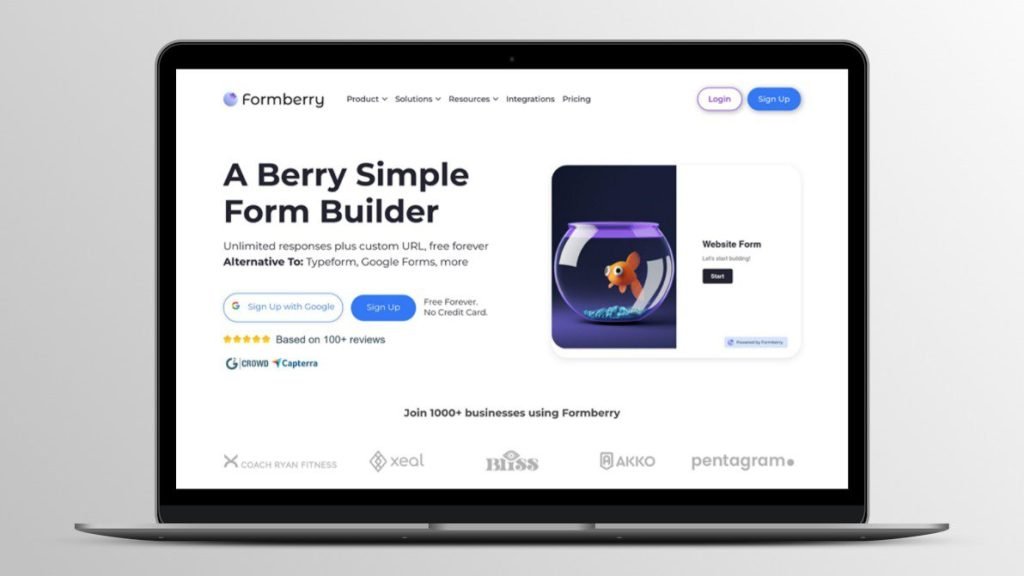
Are you tired of juggling multiple tools to build and manage forms? Meet Formberry, the ultimate solution for creating stunning forms, surveys, and quizzes.
In this Formberry Lifetime Deal Review, we will explore why this tool stands out in the crowded market of form builders. Formberry offers a user-friendly platform ideal for individuals, small businesses, and agencies. With unlimited users, responses, and forms, you can collect data effortlessly. The tool provides both basic and advanced customization options, including conditional logic, custom branding, and multi-step forms. It integrates seamlessly with popular apps like Airtable, Notion, and Slack, enhancing its functionality. What sets Formberry apart is its affordability, with lifetime access plans starting at just $39. Plus, you get a 60-day money-back guarantee to ensure it meets your needs. Discover how Formberry can simplify your form-building process and provide exceptional value for your business. Check out Formberry Lifetime Deal for more details.

Credit: appsumo.com
Introduction To Formberry
Formberry is a powerful tool for creating stunning forms and surveys. It caters to individuals, small businesses, and agencies. This blog post will review the Formberry lifetime deal and its features.
What Is Formberry?
Formberry is an online form builder. It allows users to create mobile-optimized forms, surveys, and quizzes. The tool is designed for easy and quick data collection.
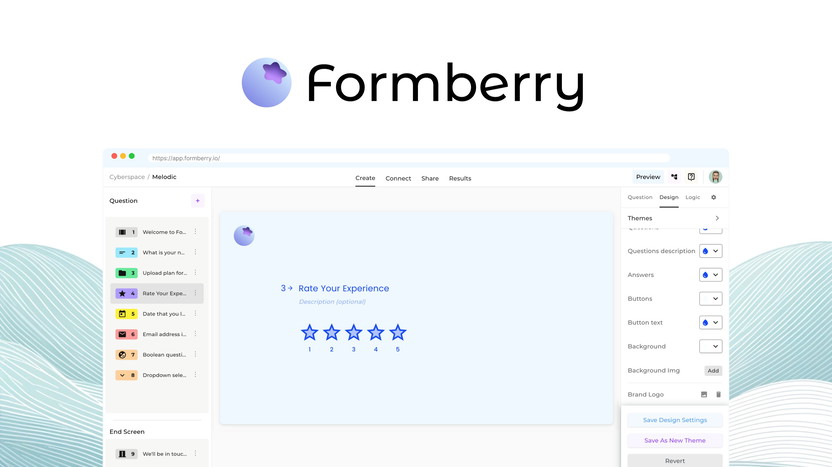
The platform supports unlimited users, responses, and forms. It offers both basic and advanced customization options. Users can brand their forms with custom logos, colors, fonts, and button shapes.
Purpose And Use Cases
Formberry is versatile and can be used in various scenarios. Below are some of the key use cases:
- Collecting customer feedback through surveys
- Conducting market research with quizzes and forms
- Managing event registrations
- Handling job application submissions
- Gathering information for lead generation
Formberry integrates with popular tools like Airtable, Notion, Slack, and Webhooks. This allows for enhanced functionality and seamless data management. Users can also set conditional logic and question jumps to streamline the form-filling process.
Main Features
| Feature | Description |
|---|---|
| Unlimited Users, Responses, and Forms | No restrictions on the number of users, responses, or forms you can create. |
| Advanced Customization | Personalize forms with logos, colors, fonts, and button shapes. |
| Conditional Logic and Question Jumps | Direct users to specific questions based on their responses. |
| File Uploads | Allows users to upload files up to 10MB. |
| Multiple Embed Options | Embed forms on websites using various methods. |
| Integrations | Connect with Airtable, Notion, Slack, and Webhooks. |
| Form Insights | Get detailed analytics and insights on form performance. |
| Save Themes | Save and reuse form themes for consistency. |
| Translations | Create forms in multiple languages. |
| Redirect to URL | Redirect users to a URL after form submission. |
| Remove “Powered by Formberry” | Remove branding for a more professional look (Pro Plan/Tier 2 only). |
Pricing Details
| Plan | Price | Features |
|---|---|---|
| Plan 1 | $39 (originally $180) | Includes all main features |
| Plan 2 | $78 (originally $360) | Includes all main features plus: – Remove “Powered by Formberry” – Access to analytics |
Both plans come with a 60-day money-back guarantee. Users can try the product for 2 months to ensure it meets their needs.
Key Features Of Formberry
Formberry stands out as a robust online form builder for individuals, small businesses, and agencies. It offers a range of features designed to make data collection easy and efficient. Below we explore the key features that make Formberry a valuable tool for creating forms, surveys, and quizzes.
User-friendly Interface
Formberry boasts a user-friendly interface that simplifies the form creation process. Its intuitive drag-and-drop functionality allows users to build forms without technical expertise. The interface is designed to be accessible and straightforward, enabling quick adjustments and modifications.
Advanced Form Building Tools
With Formberry, users have access to a suite of advanced form building tools. These tools include conditional logic and question jumps, which enhance form interactivity and relevance. Additionally, users can toggle between multi-step and linear form views to suit their needs.
Customizable Templates
Formberry provides a variety of customizable templates to match different branding requirements. Users can personalize forms with custom branding options such as logos, colors, fonts, and button shapes. This ensures that each form aligns with the brand’s identity.
Seamless Integrations
One of Formberry’s standout features is its seamless integrations with popular tools like Airtable, Notion, Slack, and Webhooks. These integrations enhance the functionality of forms and surveys, allowing for easy data management and collaboration.
Real-time Analytics
Formberry offers real-time analytics to track form performance. Users can gain insights into response rates and user engagement, enabling them to make data-driven decisions. This feature is particularly beneficial for improving form effectiveness and optimizing user experience.
| Feature | Description |
|---|---|
| User-Friendly Interface | Easy drag-and-drop functionality for creating forms. |
| Advanced Form Building Tools | Includes conditional logic and question jumps. |
| Customizable Templates | Personalize forms with custom branding options. |
| Seamless Integrations | Integrates with Airtable, Notion, Slack, and Webhooks. |
| Real-Time Analytics | Track form performance and user engagement. |
Pricing And Affordability
Formberry lifetime deal offers a competitive pricing structure designed to meet the needs of individuals, small businesses, and agencies.
Below is an in-depth look at the pricing, the lifetime deal, and how it compares to competitors.
Lifetime Deal Overview
Formberry provides two attractive lifetime deals that offer exceptional value:
| Plan | One-time Payment | Original Price | Features |
|---|---|---|---|
| Plan 1 | $39 | $180 |
|
| Plan 2 | $78 | $360 |
|
Comparison With Competitors
Formberry stands out as an affordable alternative to popular form builders like Typeform, SurveyMonkey, and Jotform.
- Typeform: Monthly subscription starts at $35, offering limited responses and features at this tier.
- SurveyMonkey: Starts at $25 per month with limitations on responses and customization.
- Jotform: Begins at $24 per month, with restrictions on the number of forms and responses.
Formberry’s one-time payment plans ensure you get unlimited access to all features without recurring costs, making it a cost-effective solution.
Value For Money
The lifetime deal offered by Formberry delivers significant value for money.
For a one-time fee, you receive unlimited access to powerful features, continuous updates, and responsive customer support.
Key benefits include:
- Ease of use for quick form creation
- Advanced customization for personalized forms
- Integrations with popular tools
- Lifetime access with regular updates
- Unlimited data collection capabilities
The 60-day money-back guarantee adds peace of mind, allowing you to try Formberry risk-free.
Pros And Cons Of Formberry
Formberry is an online form builder designed for individuals, small businesses, and agencies. It allows for effortless data collection through mobile-optimized forms, surveys, and quizzes. In this section, we will explore the advantages and drawbacks of Formberry.
Advantages
Formberry comes with several benefits that make it a valuable tool for users:
- Unlimited Users, Responses, and Forms: You can create as many forms as you need without any restrictions on the number of users or responses.
- Advanced Customization: Personalize your forms with options to add custom branding, logos, colors, fonts, and button shapes.
- Conditional Logic: Use conditional logic and question jumps to create dynamic forms that adapt to user responses.
- Multiple Embed Options: Easily embed forms on websites with various options available.
- Integrations: Seamlessly integrate with popular tools like Airtable, Notion, Slack, and Webhooks for enhanced functionality.
- Form Insights: Access form insights to analyze performance and gather useful data.
- Affordable Pricing: Formberry is an affordable alternative to other form builders like Typeform, SurveyMonkey, and Jotform, with lifetime access and regular updates.
- File Uploads: Allow users to upload files up to 10MB in size.
- Multi-step or Linear View: Toggle between multi-step or linear form views based on your needs.
- Workspace Permission Controls: Manage user permissions within your workspace for better collaboration.
Drawbacks
Despite its many advantages, Formberry has some drawbacks:
- Limitations on Free Plan: Certain features like removing “Powered by Formberry” are only available in the Pro Plan.
- File Size Restriction: The file upload feature is limited to 10MB, which might not be sufficient for all users.
Overall, Formberry offers a comprehensive set of features at an affordable price, making it a strong contender in the form-building niche.
Ideal Users And Scenarios
Formberry is an exceptional tool for creating forms, surveys, and quizzes effortlessly. It caters to a wide range of users and scenarios, making it versatile and highly functional. Let’s explore the ideal users and scenarios for Formberry.
Best For Small Businesses
Small businesses benefit greatly from Formberry’s customization options and integrations. They can collect data seamlessly, tailor forms to their branding, and integrate with tools like Airtable, Notion, and Slack.
- Custom form branding (logo, colors, font, button shape)
- Unlimited users, responses, and forms
- Advanced customization for personalized forms
- Multi-step or linear form view toggle
- Affordable pricing with lifetime access
Perfect For Freelancers
Freelancers find Formberry’s ease of use and affordable pricing appealing. They can create and publish forms quickly, ensuring efficient data collection without breaking the bank.
- Basic and advanced customization options
- File uploads (up to 10MB)
- Multiple embed options
- Conditional logic and question jumps
- Save themes
Suitable For Large Enterprises
Large enterprises benefit from Formberry’s scalability and integration capabilities. They can manage extensive data collection needs while ensuring seamless workflow integration.
- Workspace permission controls
- Integrations with popular tools for enhanced functionality
- Form insights and analytics (Pro Plan/Tier 2)
- Remove “Powered by Formberry” (Pro Plan/Tier 2)
- Redirect to URL
Formberry’s lifetime deal makes it an attractive choice for businesses of all sizes. With unlimited data collection and regular updates, it ensures continuous improvement and user satisfaction.
Credit: appsumo.com

Credit: www.linkedin.com
Frequently Asked Questions
What Is Formberry?
Formberry is a tool for creating online forms. It’s user-friendly and customizable.
How Does Formberry Work?
Formberry offers drag-and-drop functionality. This makes it easy to build forms without coding.
Is There A Lifetime Deal For Formberry?
Yes, Formberry offers a lifetime deal. This provides unlimited access to its features.
What Features Does Formberry Offer?
Formberry offers templates, integrations, and analytics. It also supports various form types and customizations.
Conclusion
Formberry offers a versatile and affordable solution for creating stunning forms. With advanced customization and seamless integrations, it suits various needs. The lifetime deal ensures continuous updates and support. Overall, Formberry is a great choice for anyone needing easy, powerful form-building. Explore Formberry more and secure your deal here.

