


Recording and editing videos can be a daunting task. With the right tool, the process becomes much simpler and more efficient.
ScreenToVideo offers a powerful yet user-friendly solution for anyone looking to create professional screen recordings. In this blog post, we will review the ScreenToVideo Lifetime Deal. We’ll explore how this software allows you to record, edit, and share your screen recordings effortlessly. ScreenToVideo is designed with an intuitive interface, making it accessible for all users, from beginners to experts. Whether you’re a content creator, course instructor, or small business owner, this tool can meet your needs. Read on to learn more about the features and benefits of ScreenToVideo and see if it’s the right fit for you. Discover the details and get your lifetime deal here: ScreenToVideo Lifetime Deal.
Introduction To Screentovideo
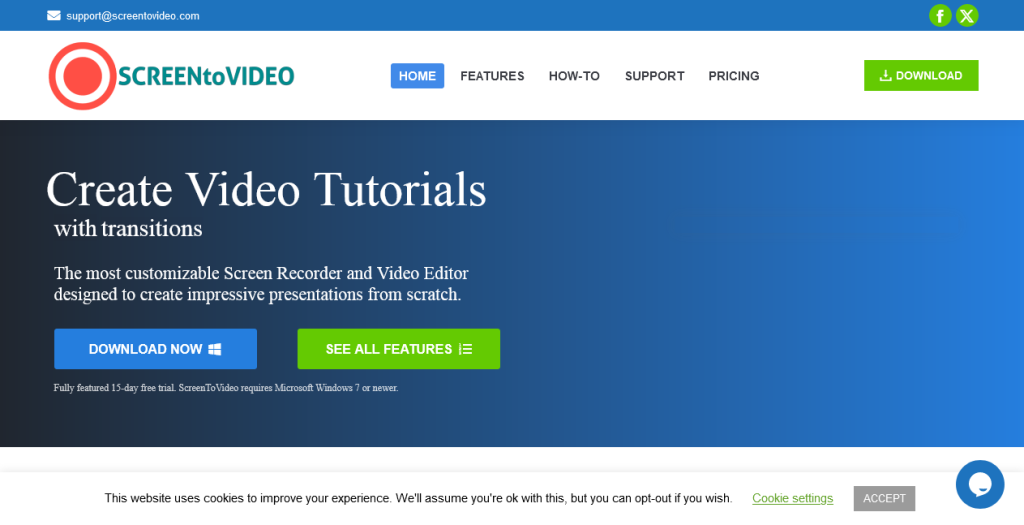
In the digital age, creating and sharing videos has never been easier. Screentovideo is a powerful tool designed to record, edit, and share videos effortlessly. Its intuitive interface ensures even beginners can create professional-looking videos. Let’s dive into what makes this software a must-have for content creators and small businesses.
What Is Screentovideo?
Screentovideo is an easy-to-use screen recorder and video editor. It allows users to record their screen, voice, system sounds, and webcam. Users can also edit their videos with a variety of components and effects. The software supports exporting videos in multiple formats and uploading them to Google Drive for easy sharing.
Purpose And Benefits Of Screentovideo
The primary purpose of Screentovideo is to provide a simple yet powerful tool for video creation. It’s suitable for content creators, course creators, and small businesses. Let’s explore its benefits:
- User-friendly interface: Icons and texts make it easy to navigate.
- Quick recording: Capture your screen with no export time.
- Professional editing: Create polished videos using comprehensive editing tools.
- Multiple recording modes: Two modes to cater to different needs.
- Sketching tools: Turn your screen into a whiteboard and create GIFs.
- Integration: Compatible with Google and Microsoft Text-to-Speech.
- Support: Tutorials and support for a quick start.
| Feature | Details |
|---|---|
| Recording options | Screen, voice, system sounds, webcam |
| Editing tools | Text areas, video effects, Google Text-To-Speech |
| Export formats | MP4, WMV, GIF, MP3 |
| Hardware acceleration | High-quality videos with reduced waiting times |
| Sharing options | Upload to Google Drive |
With these features, Screentovideo empowers users to create and share videos with ease. Whether you are creating content for a course, business, or personal project, this tool offers the flexibility and functionality needed to produce high-quality videos.
Credit: appsumo.com
Key Features Of Screentovideo
ScreenToVideo is a powerful yet easy-to-use screen recorder and video editor. It offers a range of features that make video creation simple and efficient. Below are the key features that make ScreenToVideo stand out.
User-friendly Interface
ScreenToVideo boasts a user-friendly interface that is intuitive and easy to navigate. Icons and text labels guide you through each step, making it suitable for users of all skill levels. Tutorials and support are available to help you get started quickly.
Comprehensive Editing Tools
The software includes a variety of comprehensive editing tools. You can add text areas, apply video effects, and use Google Text-to-Speech integration for voiceovers. The editing suite also supports closed captions and audio loudness normalization to enhance your videos.
High-quality Export Options
ScreenToVideo allows you to export videos in multiple formats such as MP4, WMV, GIF, and MP3. Hardware-accelerated encoders ensure high-quality videos with reduced waiting times. You can also upload and share videos directly via Google Drive.
Seamless Screen Recording
With ScreenToVideo, you can record your screen effortlessly. Capture windows, selected areas, or the entire screen. You can also record voice, system sounds, and webcam with virtual backgrounds. The software supports sketching tools to turn your screen into a whiteboard.
Integration With Other Tools
ScreenToVideo integrates with popular tools like Google and Microsoft Text-to-Speech. This feature is ideal for creating voiceovers or adding text-to-speech elements to your videos. The software also supports quick uploads to Google Drive for easy sharing.
Pricing And Affordability
ScreenToVideo offers a comprehensive and user-friendly screen recording and video editing solution. Its pricing structure is designed to provide maximum value and affordability. Let’s dive into the details to understand why it’s a great investment.
Lifetime Deal Explained
The ScreenToVideo Lifetime Deal is available for a one-time purchase of $59, originally priced at $119. This deal provides lifetime access to the software, including free lifetime upgrades and ongoing support. This means you pay once and enjoy the benefits forever, without any recurring fees.
Included in this deal:
- Access to all features of ScreenToVideo
- Free updates and new features
- In-app and website support
- Compatibility with Windows systems
Moreover, there is a 60-day money-back guarantee, allowing you to try the software for two months to ensure it meets your needs.
Comparison With Subscription Models
Many screen recording and video editing tools operate on subscription models. These typically charge monthly or yearly fees, which can add up over time. For example, a typical subscription might cost:
| Subscription Plan | Cost per Month | Cost per Year |
|---|---|---|
| Basic Plan | $10 | $120 |
| Pro Plan | $20 | $240 |
In comparison, the ScreenToVideo Lifetime Deal is a single payment of $59, which is less than half the annual cost of many subscription-based tools. This makes it a cost-effective option for long-term use.
Cost-effectiveness For Different Users
The ScreenToVideo Lifetime Deal is particularly cost-effective for various user groups:
- Content Creators: Save on recurring fees, invest the savings into content production.
- Course Creators: Create and edit high-quality videos without worrying about ongoing costs.
- Small Businesses: Manage budget effectively, access powerful tools for training and marketing.
- Educators: Use the software for educational content, benefit from free updates.
This one-time purchase ensures that users get a powerful tool at a fraction of the cost of other options, making it a smart investment for anyone looking to create and share video content efficiently.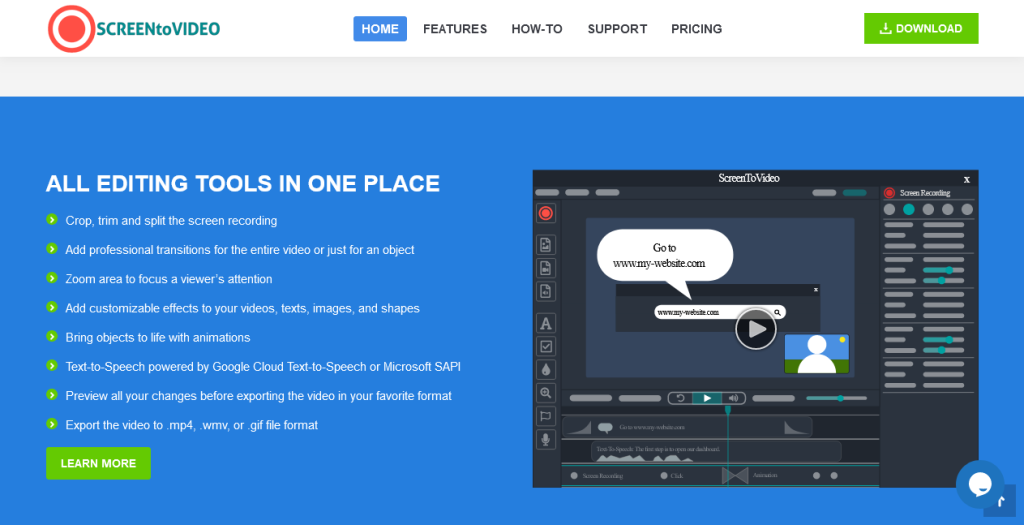
Pros And Cons Of Screentovideo
Screentovideo offers a powerful and user-friendly solution for screen recording and video editing. This section will detail the pros and cons of Screentovideo based on real-world usage and potential drawbacks.
Advantages Based On Real-world Usage
User-Friendly Interface: Screentovideo features an intuitive interface with clear icons and texts, making it easy for users to navigate and use the software effectively.
Quick Screen Recording: The built-in screen recorder allows for capturing windows, selected areas, or the entire screen with no export time, which speeds up the workflow significantly.
Comprehensive Editing Tools: With features such as text areas, video effects, and Google Text-To-Speech integration, users can create polished and professional videos effortlessly.
Exporting Options: Screentovideo supports exporting videos in various formats, including MP4, WMV, GIF, and MP3, providing flexibility for different use cases.
Hardware-Accelerated Encoders: The software uses hardware-accelerated encoders to produce high-quality videos while reducing waiting times, making it efficient for users.
Sketching Tools: Users can turn their screen into a whiteboard and create animated GIFs, adding an extra layer of creativity to their recordings.
Integration with Cloud Services: The ability to upload and share videos via Google Drive ensures that users can easily share their content with others.
Potential Drawbacks And Limitations
Windows Compatibility Only: Screentovideo is only compatible with Windows, which limits its accessibility for users on other operating systems.
No Stackable Deal: The current lifetime deal is not stackable, which means users cannot combine multiple purchases for additional benefits.
Limited Free Trial: Although there is a 60-day money-back guarantee, some users may prefer a more extended trial period to fully explore the software’s capabilities.
Advanced Features Learning Curve: While the interface is user-friendly, mastering the more advanced editing tools may require some time and effort, especially for beginners.
Cost: The one-time purchase price of $59 might be a consideration for some users, although it includes lifetime access and upgrades.
Benefits Summary
| Feature | Benefit |
|---|---|
| User-Friendly Interface | Easy to use, clear navigation |
| Quick Screen Recording | No export time, efficient workflow |
| Comprehensive Editing Tools | Create professional videos |
| Exporting Options | Supports multiple formats |
| Hardware-Accelerated Encoders | High-quality videos, reduced waiting times |
| Sketching Tools | Whiteboard and GIF creation |
| Integration with Cloud Services | Easy sharing via Google Drive |
Specific Recommendations
If you are considering the ScreenToVideo Lifetime Deal, it’s essential to understand who can benefit the most from this powerful screen recorder and video editor. Below, we provide detailed recommendations to help you decide if ScreenToVideo is the right tool for you.
Ideal Users For Screentovideo
ScreenToVideo is designed for a variety of users, including:
- Content Creators: Ideal for YouTubers, bloggers, and social media influencers who need to create engaging video content.
- Course Creators: Perfect for educators and trainers developing online courses and tutorials.
- Small Businesses: Suitable for businesses needing professional-looking videos for marketing, training, or internal communication.
- Gamers: Great for recording and sharing gameplay with high-quality video and sound.
- Freelancers: Useful for freelancers offering video editing or content creation services.
Best Scenarios For Utilizing Screentovideo
There are several scenarios where ScreenToVideo shines:
- Tutorials and How-To Videos: Record your screen, add voiceovers, and use sketching tools to create detailed tutorials.
- Webinars and Online Classes: Capture live sessions, including voice, system sounds, and webcam footage, and edit them for on-demand access.
- Marketing Videos: Create promotional videos with text areas, video effects, and Google Text-To-Speech integration.
- Product Demos: Showcase your product’s features by recording your screen and adding annotations or voice explanations.
- Feedback and Reviews: Provide detailed feedback or reviews by capturing your screen and adding comments or highlights.
ScreenToVideo offers a user-friendly interface, comprehensive editing tools, and flexible export options, making it a versatile solution for various video creation needs.
Frequently Asked Questions
What Is Screentovideo?
Screentovideo is a screen recording software. It allows users to record, edit, and export screen recordings.
How Do I Use Screentovideo?
To use Screentovideo, start by downloading and installing the software. Open it, record your screen, edit, and export.
Is Screentovideo Worth Buying?
Yes, Screentovideo offers a lifetime deal. It provides powerful recording and editing features, making it worth the investment.
Can I Edit Recordings With Screentovideo?
Yes, Screentovideo includes an editor. You can trim, add effects, and enhance your screen recordings easily.
Conclusion
ScreenToVideo offers a powerful, user-friendly solution for screen recording and video editing. It’s perfect for content creators and small businesses. The intuitive interface makes it easy to capture, edit, and share videos. With lifetime access for just $59, it’s a great investment. Plus, you get free lifetime updates and support. Try ScreenToVideo today and enhance your video creation process. Learn more and purchase here: ScreenToVideo Lifetime Deal.

