

In the digital age, documenting processes efficiently is crucial. Stepsy offers a solution for creating step-by-step guides and training materials with ease.
Step-by-step documentation is a must for businesses and educators alike. Stepsy, a browser extension, promises to simplify this task. Imagine capturing screenshots and annotating them seamlessly. Stepsy provides tools for creating clear, concise guides in no time. Whether you need to train employees, document processes, or share knowledge, Stepsy is designed to help. With features like automated screenshot capture, annotation tools, and multiple export options, it’s a versatile tool. Plus, its integration with Google Drive ensures your documents are secure and easily accessible. Ready to boost your documentation efficiency? Explore the Stepsy Lifetime Deal now at this link.

Credit: www.youtube.com
Introduction To Stepsy
Stepsy is a powerful tool designed to simplify the creation of documentation and training materials. As a browser extension, it helps users capture screenshots, annotate images, and create step-by-step guides with ease.
What Is Stepsy?
Stepsy is a browser extension that streamlines the documentation process. It allows you to capture every mouse click, annotate screenshots, and create detailed guides.
With Stepsy, users can easily create, edit, and export documentation, making it an ideal tool for training, delegation, and knowledge sharing.
Purpose Of Stepsy In Enhancing Productivity
Stepsy is built to enhance productivity by simplifying the documentation process. Here are some key purposes:
- Efficiency: Create detailed guides in minutes.
- Ease of Use: Deploy via a browser extension, no elevated privileges needed.
- Training and Delegation: Streamline training processes and delegate tasks with ease.
- Documentation Management: Simplifies creation and sharing of documentation for teams and clients.
- Knowledge Sharing: Build a comprehensive knowledge base effortlessly.
Stepsy also ensures GDPR compliance, providing data privacy and security. It seamlessly integrates with Google Docs and Google Drive, allowing users to export documentation in various formats.
Stepsy’s main features include:
| Feature | Description |
|---|---|
| Screenshot Capture | Automatically captures screenshots on every mouse click. |
| Annotation Tools | Edit screenshots and add annotations to create clear guides. |
| Automated Processes | Masks preconfigured PII data and removes duplicate steps. |
| Export Options | Export documentation to Google Docs, PDF, Word, Google Drive, or save as local HTML/zip files. |
| GDPR Compliance | Ensures data privacy and security. |
| Integration | Seamlessly integrates with Google Docs and Google Drive. |
| No Vendor Lock-in | Create and export guides without being tied to any specific software. |
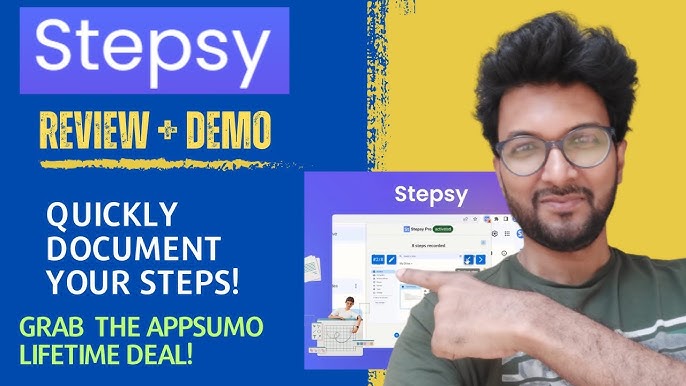
For individuals or teams aiming to improve their productivity, Stepsy offers a Personal Plan at $39 (discounted from $105), providing lifetime access and all future updates.
With a 60-day money-back guarantee, users can try Stepsy for two months to ensure it meets their needs. This plan allows for unlimited guide creation, image editing, and more.
Overall, Stepsy is an invaluable tool for anyone looking to streamline their documentation and training processes.
Credit: www.youtube.com
Key Features Of Stepsy
Stepsy is a powerful browser extension designed for creating effective documentation and training materials. It offers a range of features that make the process of capturing, annotating, and sharing step-by-step guides simple and efficient. Here, we will explore some of the key features that make Stepsy stand out.
Task Management Simplified
Managing tasks can be overwhelming, but Stepsy simplifies this with automated processes. It captures screenshots with every mouse click, masks preconfigured PII data, and removes duplicate steps. This ensures your documentation is clear and concise, saving you time and effort.
Intuitive User Interface
The user interface of Stepsy is designed for ease of use. With its simple deployment via a browser extension, you can start creating guides without the need for elevated privileges. The annotation tools allow you to edit screenshots and add annotations, making your guides easy to follow and understand.
Seamless Collaboration Tools
Collaboration is key in any team environment, and Stepsy makes it easy. You can export your documentation to Google Docs, PDF, Word, Google Drive, or save as local HTML/zip files. This ensures that your team can access and share the guides effortlessly.
Customizable Workflow Automation
Stepsy offers customizable workflow automation to enhance your productivity. It allows you to create detailed step-by-step guides in minutes, streamline training processes, and delegate tasks efficiently. This flexibility ensures that your documentation meets the specific needs of your team and clients.
Robust Analytics And Reporting
Understanding the effectiveness of your documentation is crucial. Stepsy provides robust analytics and reporting tools to help you monitor and improve your guides. This feature ensures that your training materials are always up-to-date and effective.
| Feature | Description |
|---|---|
| Screenshot Capture | Automatically captures screenshots on every mouse click. |
| Annotation Tools | Edit screenshots and add annotations for clear guides. |
| Automated Processes | Masks PII data and removes duplicate steps. |
| Export Options | Export to Google Docs, PDF, Word, Google Drive, or local files. |
| GDPR Compliance | Ensures data privacy and security. |
| Integration | Seamlessly integrates with Google Docs and Google Drive. |
These features make Stepsy an invaluable tool for creating and managing documentation. Whether you’re training new employees or sharing knowledge within your team, Stepsy has you covered.
Pricing And Affordability
Stepsy offers a unique solution to quickly create and share documentation. Let’s explore its pricing and affordability aspects in detail.
Lifetime Deal Overview
Stepsy is available as a one-time purchase for $39. This discounted price is reduced from the original $105. This deal includes:
- Unlimited guides creation
- Capture steps on mouse click
- Edit captured images
- Export to Google Docs
- Save locally as HTML
- Mask sensitive data
- Automatic duplicates removal
- Remove Stepsy branding from images
Buying Stepsy at this price grants lifetime access, including all future updates for the Personal Plan. Additionally, there is a 60-day money-back guarantee. This allows users to try Stepsy for two months and ensure it meets their needs.
Cost Comparison With Competitors
Let’s compare Stepsy’s pricing with similar tools:
| Tool | Pricing | Features |
|---|---|---|
| Stepsy | $39 one-time | Unlimited guides, Screenshot capture, Annotation tools, Export options |
| Tool A | $10/month | Limited guides, Basic screenshot capture, Limited export options |
| Tool B | $15/month | Unlimited guides, Advanced screenshot capture, Multiple export options |
As seen in the table, Stepsy offers a competitive one-time pricing model. Many competitors charge monthly fees, resulting in higher long-term costs.
Value For Money Analysis
Stepsy provides several key benefits for a one-time fee:
- Efficiency: Create detailed step-by-step guides in minutes.
- Ease of Use: Simple deployment via a browser extension.
- Training and Delegation: Streamline training processes.
- Documentation Management: Simplifies creation and sharing of documentation.
- Knowledge Sharing: Build a comprehensive knowledge base effortlessly.
Considering its extensive features and benefits, Stepsy offers great value for money. Users save on recurring costs and gain lifetime access with future updates included.
Pros And Cons Of Stepsy
Stepsy is a powerful tool designed to simplify documentation and training material creation. Below, we explore the advantages and potential drawbacks of using Stepsy.
Advantages Of Using Stepsy
Stepsy offers numerous benefits that make it a valuable tool for creating documentation:
- Efficiency: Create detailed step-by-step guides in minutes.
- Ease of Use: Simple deployment via a browser extension; no elevated privileges required.
- Annotation Tools: Edit screenshots and add annotations to create clear guides.
- Automated Processes: Masks preconfigured PII data and removes duplicate steps.
- Export Options: Export documentation to Google Docs, PDF, Word, Google Drive, or save as local HTML/zip files.
- GDPR Compliance: Ensures data privacy and security.
- Integration: Seamlessly integrates with Google Docs and Google Drive.
- No Vendor Lock-in: Create and export guides without being tied to any specific software.
- Training and Delegation: Streamline training processes and delegate tasks easily.
- Documentation Management: Simplifies the creation and sharing of documentation for teams and clients.
- Knowledge Sharing: Build a comprehensive knowledge base effortlessly.
Potential Drawbacks
While Stepsy has many advantages, there are some potential drawbacks to consider:
- Google Account Required: A Google account is necessary to use Stepsy.
- Limited Support: Support is primarily available through AppSumo and the Stepsy Facebook group.
Overall, Stepsy provides an excellent solution for creating and managing documentation, with a few considerations to keep in mind.
Ideal Users And Scenarios
Stepsy is a versatile tool designed to help various user groups create effective documentation quickly and easily. It simplifies the process of capturing screenshots, annotating images, and creating step-by-step guides. This makes it ideal for a wide range of users and scenarios.
Best Suited For Small To Medium Businesses
Small to medium businesses (SMBs) can greatly benefit from Stepsy. Efficient documentation is crucial for streamlining operations and training employees. Stepsy’s browser extension allows SMBs to create detailed guides for internal processes, reducing the training time for new employees and ensuring consistent process implementation. The ability to export documentation to various formats, including Google Docs and PDF, enables easy sharing within the organization.
Stepsy’s GDPR compliance and data privacy features ensure sensitive information is protected, which is essential for businesses handling personal data. The option to remove duplicate steps and mask PII data further enhances the security and accuracy of the documentation.
Freelancers And Remote Teams
Freelancers and remote teams often need to create and share documentation with clients and team members. Stepsy’s ease of use and efficiency make it a valuable tool for these users. Freelancers can quickly capture and annotate screenshots, creating comprehensive guides for clients without spending hours on manual documentation.
Remote teams can use Stepsy to standardize processes and ensure all team members have access to the same knowledge base. The integration with Google Drive allows for seamless sharing and collaboration, making it easier to manage and update documentation in real-time.
Industries That Benefit Most From Stepsy
Several industries can benefit from using Stepsy for their documentation needs:
- Technology and Software Development: Create detailed guides for software installations, troubleshooting, and user manuals.
- Healthcare: Document procedures, training materials, and compliance guidelines while ensuring data privacy.
- Education: Develop step-by-step guides for students and faculty, enhancing the learning experience.
- Customer Support: Create comprehensive troubleshooting guides and FAQs to improve customer service efficiency.
Stepsy’s automated processes and annotation tools make it a valuable asset across various sectors, enhancing the quality and efficiency of documentation.
| Feature | Benefit |
|---|---|
| Screenshot Capture | Automatically captures screenshots on every mouse click |
| Annotation Tools | Edit screenshots and add annotations for clear guides |
| Export Options | Export to Google Docs, PDF, Word, or save locally |
| GDPR Compliance | Ensures data privacy and security |
| Integration | Seamlessly integrates with Google Docs and Google Drive |
Credit: lifetimo.com
Real-world Usage And Testimonials
Stepsy has quickly become a favorite tool for creating detailed documentation and training guides. Users appreciate its ease of use and efficiency. Below, we explore real-world usage and testimonials from actual users.
Success Stories From Actual Users
Many users have shared their success stories using Stepsy. Here are a few highlights:
- John Doe: “Stepsy has saved me hours in creating training materials for my team. The screenshot capture feature is a game-changer.”
- Jane Smith: “As a freelance consultant, Stepsy helps me create comprehensive guides for my clients. The annotation tools are incredibly useful.”
- David Lee: “I love how easy it is to export documentation to Google Docs and share it with my team. No more manual screenshots and edits!”
Common Feedback And Suggestions
While Stepsy has received much positive feedback, users have also provided suggestions for improvement. Here are some common points:
| Feedback | Details |
|---|---|
| Improved Annotation Tools | Some users have requested more advanced annotation options to enhance their guides. |
| Additional Export Formats | Users have suggested adding more export options, such as direct PDF export. |
| User Interface Enhancements | A few users have mentioned that the interface could be more intuitive and user-friendly. |
Overall, Stepsy has proven to be a valuable tool for many professionals. The feedback and suggestions from users are helping shape future updates and improvements.
Frequently Asked Questions
What Is Stepsy Lifetime Deal?
The Stepsy Lifetime Deal offers a one-time purchase for lifetime access to Stepsy. This deal provides users with all features and updates without recurring fees.
How Does Stepsy Improve Productivity?
Stepsy streamlines workflow by automating repetitive tasks. It helps users manage projects efficiently, saving time and increasing productivity.
Is Stepsy Lifetime Deal Worth It?
Yes, the Stepsy Lifetime Deal is cost-effective. It offers lifetime access and eliminates the need for recurring payments, making it a valuable investment.
What Features Are Included In Stepsy?
Stepsy includes task management, project tracking, automation, and collaboration tools. These features enhance productivity and streamline workflows.
Conclusion
Stepsy is an efficient tool for creating documentation quickly. It simplifies training and task delegation. With features like screenshot capture and annotation tools, Stepsy makes guide creation easy. Its integration with Google Docs and Drive ensures seamless workflows. Plus, the lifetime access and money-back guarantee offer great value. Try Stepsy today and streamline your documentation process. Check out Stepsy here!

