

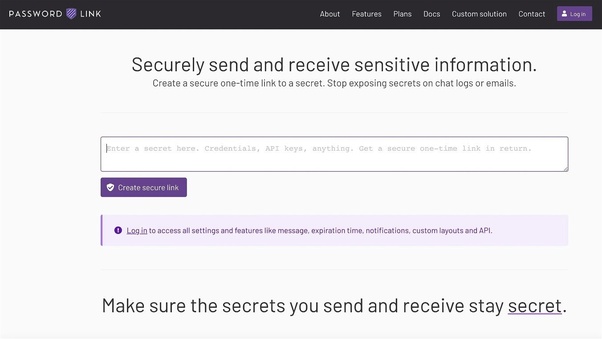
Sharing sensitive information securely is a top priority today. Password.link offers a solution with its unique one-time, self-destructing links.
Imagine you need to send a password or credit card detail securely. Password.link allows you to create links that can be viewed only once, ensuring your confidential information remains protected. With features like strong AES-256 encryption, customizable pages, and notifications, Password.link stands out. It also supports integration with popular platforms and provides a password generator for added convenience. This review will dive into Password.link’s features, benefits, and pricing, helping you decide if this lifetime deal is right for you. Ready to explore more? Let’s get started with the Password.link review. Get access now
Introduction To Password.link
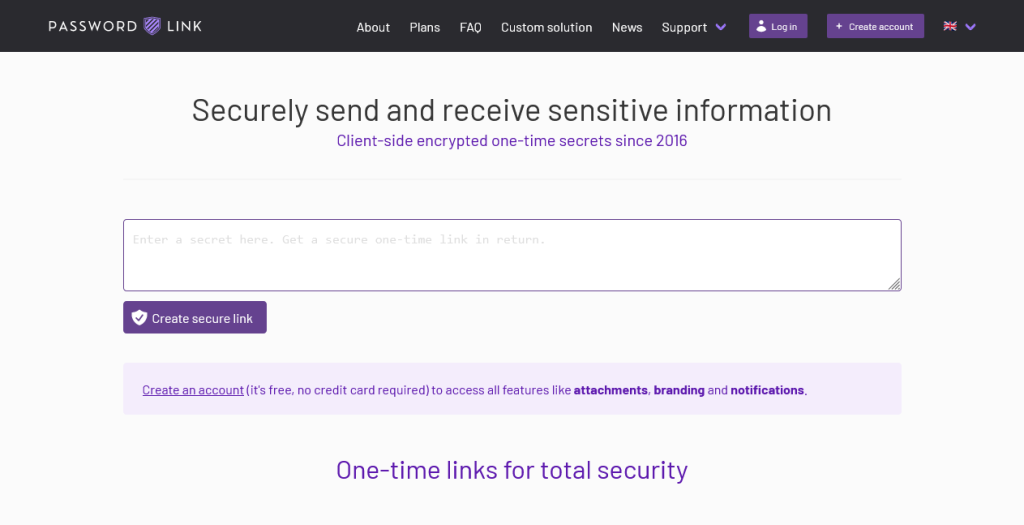
In today’s digital age, sharing sensitive information securely is crucial. Password.Link offers a simple and effective solution. This tool allows users to send confidential data using one-time, self-destructing links. Let’s dive deeper into Password.Link and its features.
What Is Password.link?
Password.Link is a service designed to share sensitive information securely. It creates one-time links for credentials like passwords and credit card details. These links ensure the information is viewed only once and then self-destructs.
The Purpose Of Password.link
The main purpose of Password.Link is to ensure security and confidentiality. By using one-time links, it prevents unauthorized access to sensitive data. It also provides customization options, allowing users to tailor the content and hide Password.Link branding.
| Feature | Description |
|---|---|
| One-time Links | Share credentials securely with self-destructing links. |
| Notifications | Get notified via email or Slack when credentials are viewed. |
| Customization | Customize page content and branding. |
| Strong Encryption | Uses AES-256 encryption for security. |
| Password Generator | Includes a tool for generating strong passwords. |
| API Access | Offers API for automation and integration. |
| Logs | Maintain logs for tracking access and usage. |
| Team Management | Supports teams up to 20 members with configurable settings. |
With these features, Password.Link stands out as a reliable and secure solution for sharing sensitive information. Whether you’re a content creator, freelancer, or small business owner, this tool can help you manage and share your credentials safely.
Key Features Of Password.link
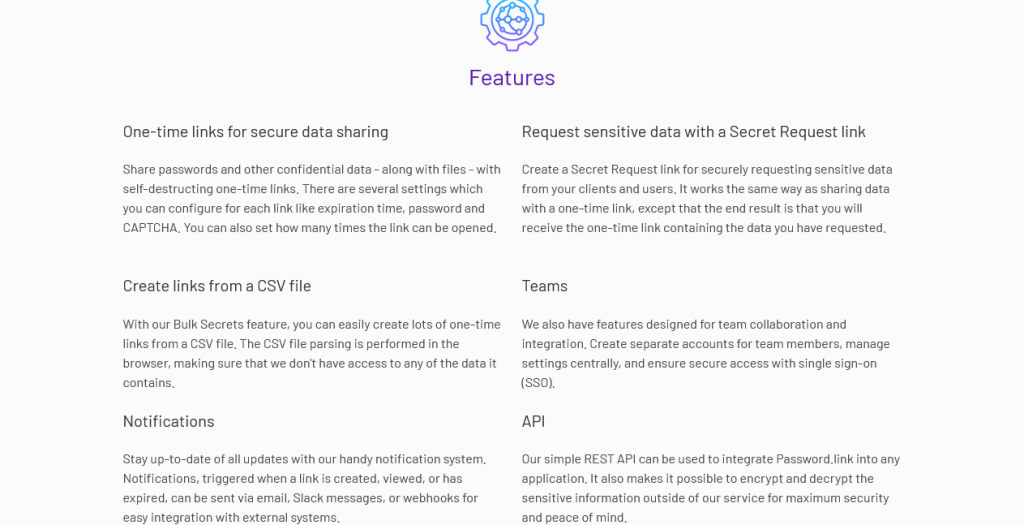
Discover the standout features of Password.Link that make it an excellent tool for securely sharing sensitive information. Each feature is designed to ensure the utmost security and user convenience.
Secure Link Sharing
Password.Link allows you to share sensitive information using one-time, self-destructing links. This feature ensures that credentials, such as passwords and credit card details, are viewed only once by the recipient. This prevents unauthorized access after the initial viewing.
Automatic Expiry
With automatic expiry, you can set links to expire after a single use. This ensures the information shared cannot be accessed again. This is essential for maintaining the confidentiality of your data.
Customizable Security Settings
Password.Link offers customizable security settings. You can configure notifications via different channels such as email and Slack. Customize the content of the pages your users see. Hide Password.link branding for a personalized user experience.
User-friendly Interface
The user-friendly interface of Password.Link makes it easy to create and manage secure links. Even users with minimal technical knowledge can navigate the platform. It supports team size up to 20 members, making it ideal for small businesses and freelancers.
Utilize strong AES-256 encryption to ensure the highest level of security for your sensitive information. With Password.Link, you can be confident that your data is protected.
For a one-time purchase of $99.99, you get lifetime access to these features. Try Password.Link today and experience secure, hassle-free link sharing.
Pricing And Affordability
When considering a tool for securely sharing sensitive information, pricing plays a crucial role. Password.link offers a unique Lifetime Deal that stands out in terms of affordability and value. Let’s dive into the specifics.
Lifetime Deal Overview
The Password.link Lifetime Deal is available for a one-time purchase of $99.99. This deal offers a significant discount from the regular price of $799, providing an 87% off. With this one-time payment, users get lifetime access to the Password.link Pro Plan.
Key features included in this deal are:
- One-time Links: Create secure, self-destructing links.
- Notifications: Get informed when and who views the credentials.
- Customization: Customize user experience and hide branding.
- Strong Encryption: Uses AES-256 encryption for security.
- Password Generator: Built-in password generator.
- API Access: For automation and integration.
- Logs: Track views and access logs.
- Team Management: Supports up to 20 members.
Comparing Lifetime Deal With Subscription Models
Comparing the Lifetime Deal to traditional subscription models reveals significant savings. Subscription models often require monthly or annual payments, which can add up over time. For instance:
| Plan | Cost | Total Cost Over 5 Years |
|---|---|---|
| Monthly Subscription | $10/month | $600 |
| Annual Subscription | $100/year | $500 |
| Lifetime Deal | $99.99 one-time | $99.99 |
The Lifetime Deal eliminates recurring costs, offering a one-time payment that covers all future updates and features. This makes it an attractive option for long-term users.
Is The Lifetime Deal Worth It?
The Password.link Lifetime Deal provides excellent value for several reasons:
- Cost Savings: Save significantly compared to subscription models.
- Comprehensive Features: Access to all Pro Plan features.
- Security: Strong encryption and one-time links for secure sharing.
- Integration: Seamless integration with popular platforms.
- Customization: Tailor the user experience to match your brand.
Additionally, the 60-day money-back guarantee ensures that you can try Password.link risk-free. This deal is ideal for content creators, freelancers, and small businesses seeking a secure and cost-effective solution for sharing sensitive information.
Pros And Cons Of Password.link
When evaluating Password.Link, it’s important to weigh its strengths and weaknesses. This ensures you make an informed decision.
Pros: Enhanced Security And Ease Of Use
Password.Link offers significant security features. The tool uses AES-256 encryption, ensuring your sensitive information remains safe. One-time, self-destructing links mean your data is accessible only once, adding an extra layer of security.
Another advantage is the password generator. This feature helps create strong, unique passwords. Notifications keep you informed about access to your shared credentials. You can receive alerts via email or Slack.
Customization is also a plus. You can hide Password.Link branding and tailor the user experience. The tool supports team management for up to 20 members, allowing configurable settings for secrets. Integration with platforms like Chrome, Facebook, Instagram, LinkedIn, and WordPress further enhances its usability.
| Feature | Benefit |
|---|---|
| Strong Encryption | Secure data sharing |
| One-time Links | Data accessed only once |
| Password Generator | Create strong, unique passwords |
| Notifications | Know when and who viewed your data |
| Customization | Branded user experience |
| Integrations | Works with popular platforms |
Cons: Potential Limitations And Drawbacks
Despite its many benefits, Password.Link has some limitations. One notable drawback is the monthly limit on sending secrets and passwords. Users can only send 500 secrets per month. This might not be sufficient for larger teams or businesses with high data sharing needs.
Another potential issue is the non-stackable deal. You cannot stack multiple purchases for additional benefits. This restricts flexibility for users who might want to extend their usage or features.
The tool’s team management supports only up to 20 members. This limit might be restrictive for larger organizations. Additionally, while the tool integrates with several platforms, it may not cover all the specific needs of every user.
Finally, the deal comes with a 60-day redemption period. You must redeem your code(s) within this timeframe, adding a time constraint to the purchase decision.
| Limitation | Drawback |
|---|---|
| Monthly Limit | 500 secrets per month |
| Non-stackable Deal | No extended benefits |
| Team Size Limit | Only up to 20 members |
| Redemption Period | 60 days to redeem |
Ideal Users And Use Cases
Password.link offers a secure way to share sensitive information using one-time, self-destructing links. This is especially useful for individuals and businesses who need to ensure that confidential data is viewed only once and cannot be accessed again. Let’s explore who can benefit from Password.link and the best scenarios for its use.
Who Can Benefit From Password.link?
Password.link is ideal for a variety of users:
- Content Creators: Share secure links to collaborators without risking data leaks.
- Freelancers: Safely transmit client details and project credentials.
- Small Businesses: Protect sensitive information like customer data and payment details.
- IT Professionals: Share passwords and system access details securely.
- HR Departments: Send confidential employee information and documents.
Best Scenarios For Using Password.link
Here are some scenarios where Password.link can be particularly useful:
- Sending Login Credentials: Use one-time links to share login details for new accounts securely.
- Sharing Payment Information: Send credit card details and other payment data in a secure manner.
- Collaborating on Projects: Safely share access to project files and resources.
- Client Communications: Transmit sensitive client information without risk of unauthorized access.
- Team Management: Distribute passwords and sensitive data within a team up to 20 members.
Password.link‘s features, such as one-time links, strong AES-256 encryption, and notifications, make it a reliable choice for ensuring the security of sensitive information. Plus, the ability to customize the user experience and integrate with popular platforms like Chrome, Facebook, and WordPress adds to its versatility.
Frequently Asked Questions
What Is Password.link Lifetime Deal?
Password. Link Lifetime Deal offers a one-time payment for lifetime access to secure password management services. This deal ensures you never have to worry about recurring fees. It’s a cost-effective solution for individuals and businesses needing a reliable password manager.
How Secure Is Password.link?
Password. Link uses advanced encryption to protect your passwords. It ensures your data remains private and inaccessible to unauthorized users. The platform adheres to industry standards, providing robust security features to safeguard your sensitive information.
Can I Share Passwords With Others?
Yes, Password. Link allows you to securely share passwords with trusted individuals. You can easily share credentials without exposing sensitive data. This feature is perfect for teams and families who need to manage shared accounts.
Is There Customer Support Available?
Password. Link offers responsive customer support to assist users with any issues or questions. Support is available via email and chat. Their team is dedicated to ensuring you have a smooth experience using their service.
Conclusion
Password.link offers a secure solution for sharing sensitive information. It ensures your credentials are viewed only once. The tool provides one-time links, strong encryption, and customizable options. With team management and integration features, it suits various needs. At a one-time purchase of $99.99, it’s a great deal. Interested? Explore more and purchase through this link. Ensure your sensitive data stays protected with Password.link.

