

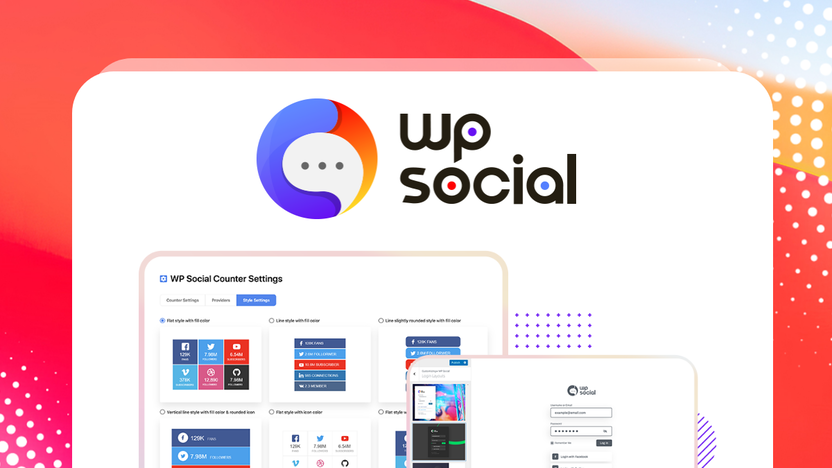
Adding social functions to your WordPress site can significantly boost user engagement. Wp Social is a powerful plugin designed to integrate social logins, counters, and share buttons seamlessly.
Wp Social offers a complete solution for enhancing your WordPress site’s social media integration. This plugin allows users to log in using their social media accounts, display follower counts, and share content effortlessly. By consolidating multiple social media features into one plugin, Wp Social eliminates the need for separate plugins, making your website more efficient and user-friendly. With customizable templates, GDPR compliance, and easy integration through short codes, Wp Social is a must-have tool for any website owner looking to increase audience interaction. Discover the benefits of Wp Social and grab the lifetime deal here.
Introduction To Wp Social Lifetime Deal
Welcome to the detailed review of the WP Social Lifetime Deal. This WordPress plugin allows you to add social logins, counters, and share buttons to your site. Enhance your audience engagement through seamless social media integration.
Overview Of Wp Social
WP Social is a versatile WordPress plugin designed to integrate social media functionalities into your website. It includes features like social logins, counters, and share buttons, all aimed at increasing user interaction and content sharing.
| Main Features | Details |
|---|---|
| Social Logins | Users can log in using their social media accounts from platforms such as Google, Facebook, Twitter, and LinkedIn. |
| Social Counters | Displays the number of fans, subscribers, and followers from 15 social networks, including Twitter, YouTube, and LinkedIn. |
| Social Share Buttons | Enables content sharing to 15 social platforms with customizable styles and layouts. |
| Customizable Templates | Offers ready-made templates and the ability to customize the admin login page. |
| Short Codes | Easy integration of features using simple short codes. |
| GDPR-compliant | Ensures data privacy and compliance with GDPR regulations. |
Purpose Of The Wp Social Plugin
The purpose of WP Social is to enhance user interaction and engagement on your WordPress site. By simplifying login processes and encouraging content sharing, it helps in building a stronger connection with your audience.
- Increased Engagement: Simplifies user login and content sharing, boosting interaction.
- Customizable Design: Tailor the appearance of social buttons to match your website’s design.
- Comprehensive Integration: Consolidates multiple social media features into one plugin, eliminating the need for several separate plugins.
- User-Friendly: Easy to use without requiring advanced technical knowledge.
With the WP Social Lifetime Deal, you get lifetime access to all features, updates, and support. Purchase the Pro Plan for $39 or the Agency Plan for $78, and enjoy a 60-day money-back guarantee if you’re not satisfied.
For more details and to purchase, visit the WP Social page on AppSumo.
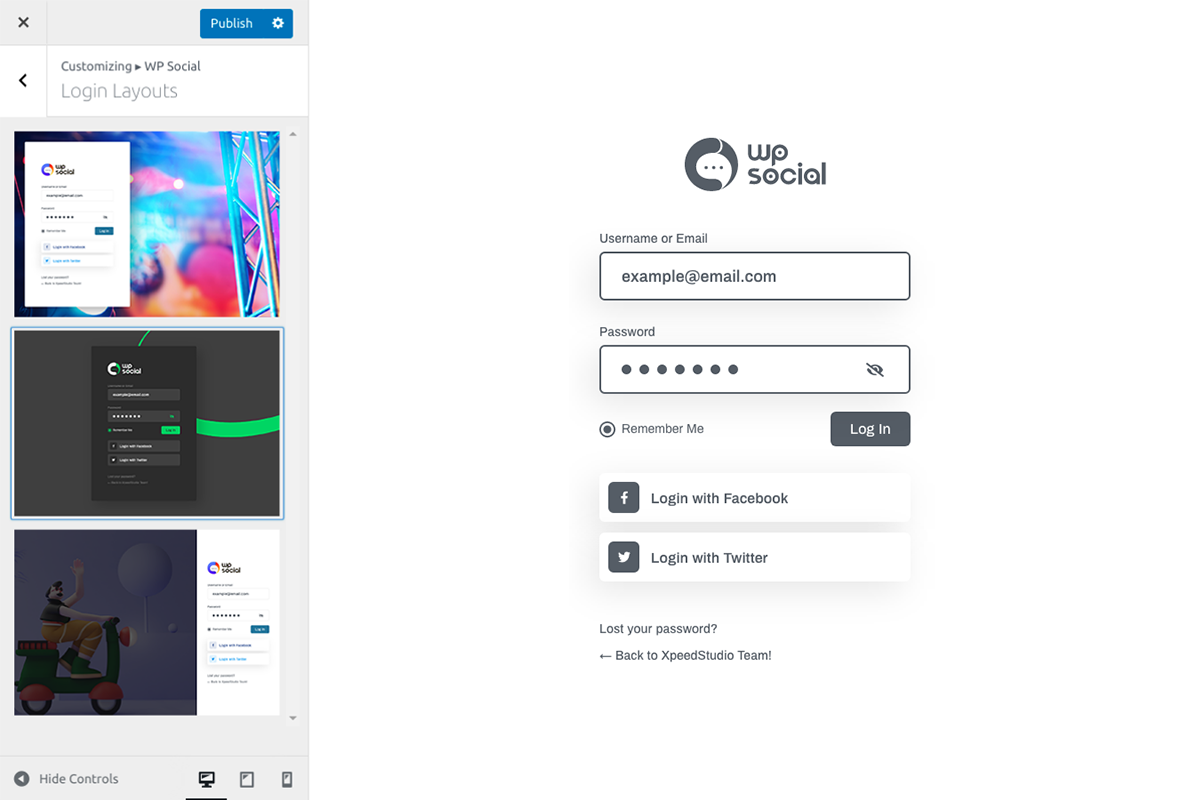
Credit: appsumo.com
Key Features Of Wp Social
Wp Social is packed with essential features to enhance your WordPress site. From social media integration to detailed analytics, this plugin has it all. Below are the key features that make Wp Social a must-have tool for your website:
Wp Social enables seamless integration with multiple social media platforms. This includes popular networks such as Facebook, Google, LinkedIn, and Twitter. Users can log in with their social accounts, making the process quick and easy. This increases the likelihood of interaction and engagement on your site.
One of the standout features of Wp Social is its user-friendly interface. The plugin is designed to be intuitive, even for those with limited technical knowledge. The dashboard is clean and straightforward, allowing users to navigate effortlessly and make the necessary adjustments without any hassle.
Wp Social offers a range of customizable social buttons. You can choose from 18 share button styles and 11 hover effects to match your website’s design. The buttons can be placed in various positions on the page, and their appearance can be adjusted to blend seamlessly with your site’s layout.
With Wp Social, you can access analytics and reporting features to track the performance of your social media integration. This includes data on the number of fans, subscribers, and followers. The plugin also allows for cache hours management, ensuring that your data is up-to-date and accurate.
Another valuable feature of Wp Social is social auto-posting. This function allows you to automatically share your content across multiple social platforms. It saves time and ensures that your posts reach a broader audience. You can set up the auto-posting feature with simple short codes, making the process straightforward and efficient.
Wp Social is a comprehensive plugin that brings multiple social media functionalities to your WordPress site. With its range of features, you can enhance user engagement and streamline your social media strategy effortlessly.
Social Media Integration
Integrating social media into your WordPress site has never been easier. With Wp Social, you can add social logins, counters, and share buttons effortlessly. This enhances audience engagement and streamlines user interactions on your site.
Supported Platforms
Wp Social supports a wide range of platforms, ensuring comprehensive integration. Users can log in using their accounts from:
- And more
This flexibility allows visitors to use their preferred social media accounts, making the login process smoother and faster.
Seamless Connectivity
Wp Social provides seamless connectivity between your WordPress site and various social networks. The plugin consolidates multiple social media features into one, eliminating the need for several separate plugins. This integration is achieved through easy-to-use short codes and customizable templates, making it user-friendly even for those without advanced technical knowledge.
| Feature | Description |
|---|---|
| Social Logins | Users log in using their social media accounts. |
| Social Counters | Displays fans, subscribers, and followers count. |
| Social Share Buttons | Enables content sharing on 15 platforms. |
All these features are GDPR-compliant, ensuring data privacy and security.
Benefit For Content Sharing
Adding social share buttons to your website encourages users to share your content on their social networks. Wp Social enables this with:
- 18 share button styles
- Customizable styles and layouts
- 11 hover effects for social counter buttons
These customizable options ensure that the share buttons blend seamlessly with your website’s design. This encourages content sharing, which can significantly increase your site’s reach and engagement.
By using Wp Social, you streamline content sharing, making it easier for your audience to spread your message across various platforms.

Credit: www.youtube.com
User-friendly Interface
The Wp Social plugin is designed to enhance your WordPress site with social logins, counters, and share buttons. Its user-friendly interface ensures that anyone can integrate these features effortlessly, regardless of their technical skills.
Ease Of Setup
Setting up the Wp Social plugin is straightforward. The installation process involves a few simple steps, making it accessible for beginners. You can easily add social logins, counters, and share buttons to your website without any coding knowledge.
- Quick installation process
- Simple integration using short codes
- Customizable templates
Intuitive Design
The intuitive design of Wp Social ensures that users can navigate through the settings with ease. The plugin provides customizable templates and styles, allowing you to match the social features with your website’s design seamlessly.
| Feature | Description |
|---|---|
| Customizable Templates | Offers readymade templates that you can adjust to fit your site’s aesthetics. |
| Short Codes | Enable easy integration of social features with minimal effort. |
| 18 Share Button Styles | Choose from various styles and layouts, including vertical and horizontal options. |
Accessibility For Non-tech Users
The Wp Social plugin is designed with non-tech users in mind. You don’t need to have advanced technical knowledge to utilize its features. The plugin simplifies the process of adding social functions, making it accessible to everyone.
- Easy-to-follow setup instructions
- Support available through email or form submission
- GDPR-compliant to ensure data privacy
With lifetime support and updates, you can rest assured that help is always available if you need it.
Customizable Social Buttons
Customizable social buttons are a key feature of the Wp Social plugin. These buttons allow users to share content, log in, and interact with your site through their social media accounts. By tailoring these buttons to match your site’s design, you can enhance user experience and increase engagement.
Design Flexibility
Wp Social offers extensive design flexibility for your social buttons. You can choose from 18 share button styles, including vertical and horizontal layouts. Additionally, there are 11 hover effects to make the buttons more engaging.
| Feature | Details |
|---|---|
| Button Styles | 18 styles |
| Layouts | Vertical and Horizontal |
| Hover Effects | 11 effects |
These customization options help ensure the buttons blend seamlessly with your site’s theme.
Placement Options
With Wp Social, you can place social buttons in various locations on your site. Whether you want them in the header, footer, or within the content, you have the freedom to choose. This flexibility ensures that buttons are visible and accessible, encouraging users to interact.
- Header
- Footer
- Within Content
By strategically placing these buttons, you can maximize their visibility and effectiveness.
Enhancing User Engagement
Customizable social buttons play a crucial role in enhancing user engagement. They simplify the login process by allowing users to log in with their social media accounts. The social share buttons encourage users to share your content, increasing its reach.
- Simplified login process
- Encourages content sharing
- Increases content reach
These features not only improve user experience but also help in growing your audience through social media integration.
Analytics And Reporting
Understanding how your social media integrations perform is crucial for maximizing engagement. Wp Social provides comprehensive Analytics and Reporting features to help you track performance and make informed decisions.
Tracking Social Metrics
Wp Social’s tracking capabilities allow you to monitor key social metrics. You can see the number of logins, shares, and followers your site gains from various platforms.
| Metric | Description |
|---|---|
| Logins | Number of users logging in via social accounts |
| Shares | Content shared across social media platforms |
| Followers | New followers gained from social counters |
Performance Insights
With Wp Social, you get detailed performance insights. Analyze which social platforms drive the most engagement and adjust your strategy accordingly.
- Identify top-performing social networks
- Understand user behavior through login data
- Measure the impact of share buttons on content reach
Data-driven Decisions
Wp Social empowers you to make data-driven decisions. Use the insights gained to optimize your site’s social features and improve overall engagement.
- Evaluate the effectiveness of different social login options
- Optimize share button placement and styles
- Adjust content strategies based on sharing and follower data
Utilize Wp Social’s robust analytics to fine-tune your social media strategy and enhance user interaction on your WordPress site.
Social Auto-posting
Social Auto-Posting is a powerful feature of the Wp Social plugin. It automates the process of sharing your WordPress content on various social media platforms. This feature ensures that your content reaches a broader audience without the need for manual posting.
Automated Content Sharing
With Wp Social, your content can be shared automatically on multiple social media networks. This includes popular platforms such as Facebook, Twitter, and LinkedIn. By automating content sharing, you can focus more on creating quality content and less on the logistics of distribution.
| Platform | Integration |
|---|---|
| Yes | |
| Yes | |
| Yes |
Time-saving Benefits
Automated social posting saves you significant time. Instead of manually sharing each post, the plugin handles it for you. This efficiency allows you to allocate your time to other crucial tasks, such as engaging with your audience or developing new content strategies.
- Reduces manual effort
- Increases productivity
- Streamlines content distribution
Consistency In Social Media Presence
Maintaining a consistent social media presence is vital. Wp Social ensures your posts are shared regularly, keeping your audience engaged. Consistent posting helps build a strong online presence and fosters trust with your followers.
By using Wp Social’s automated posting feature, you can maintain a steady flow of content across all your social media channels. This consistency is key to growing your audience and enhancing your brand’s visibility.
Credit: www.youtube.com
Pricing And Affordability
Wp Social offers a cost-effective solution for adding social functionalities to your WordPress site. This section delves into the pricing, comparison with competitors, and overall value for money.
Lifetime Deal Cost
The Wp Social plugin comes with two main pricing options:
| Plan | Original Price | Discounted Price |
|---|---|---|
| Pro Plan | $186 | $39 |
| Agency Plan | $366 | $78 |
Both plans offer lifetime access with a one-time payment. This means no recurring fees and all future updates are included.
Comparison With Competitors
When comparing Wp Social with other social media integration plugins, the lifetime deal stands out:
- Social Login Plugins: Typically cost $50/year.
- Social Share Plugins: Average around $60/year.
- Social Counters Plugins: Prices can reach $40/year.
In contrast, Wp Social consolidates these features into a single plugin for a one-time payment, offering significant savings.
Value For Money
The Wp Social plugin provides excellent value for money through:
- Increased Engagement: Simplifies login and sharing processes.
- Customizable Design: Matches your website’s aesthetics.
- Comprehensive Integration: Eliminates the need for multiple plugins.
- User-Friendly: No advanced technical skills needed.
With a 60-day money-back guarantee and lifetime support, Wp Social is a risk-free investment.
Pros And Cons Of Wp Social
WP Social is a versatile WordPress plugin designed to enhance user engagement on your website. It offers social logins, counters, and share buttons, simplifying social media integration. Below, we explore the advantages and potential drawbacks of using WP Social, including user feedback.
Advantages Of Using Wp Social
Wp Social provides several features that can enhance your website’s user experience and engagement:
- Social Logins: Allows users to log in using Google, Facebook, Twitter, and LinkedIn.
- Social Counters: Displays the number of fans, subscribers, and followers from 15 social networks.
- Social Share Buttons: Enables content sharing to 15 social platforms with customizable styles and layouts.
- Customizable Templates: Offers readymade templates and the ability to customize the admin login page.
- Short Codes: Easy integration of features using simple short codes.
- GDPR-compliant: Ensures data privacy and compliance with GDPR regulations.
- User-Friendly: Easy to use without requiring advanced technical knowledge.
These features help increase engagement by simplifying login processes and encouraging content sharing. The plugin also consolidates multiple social media features into one, eliminating the need for several separate plugins.
Potential Drawbacks
While Wp Social offers many benefits, there are some potential drawbacks to consider:
- Limited Customization: Although customizable, some users may find the design options limited.
- Learning Curve: New users may need time to familiarize themselves with all features.
- Compatibility Issues: There may be compatibility issues with other WordPress plugins or themes.
These drawbacks might not affect every user but are worth noting when deciding to use the plugin.
User Feedback
User feedback provides valuable insights into the performance and usability of Wp Social:
| Feedback | Details |
|---|---|
| Positive Reviews | Users appreciate the ease of use and comprehensive social media integration. |
| Constructive Criticism | Some users suggest improvements in customization options and addressing minor bugs. |
Overall, Wp Social is well-received for its functionality and user-friendly interface. The 60-day money-back guarantee and lifetime support add to its appeal, making it a reliable choice for integrating social functions into your WordPress site.
Ideal Users And Scenarios
Wp Social is an all-in-one plugin for adding social logins, counters, and share buttons to your WordPress site. It’s designed to increase audience engagement through seamless social media integration. Let’s explore who can benefit the most from this powerful tool and in what scenarios it shines.
Best Use Cases
- Blogs and Content Websites: Boost content sharing across social media platforms with customizable share buttons.
- E-commerce Sites: Simplify the login process for customers using social logins, enhancing user experience.
- Community and Membership Sites: Increase user registrations by allowing sign-ups through social media accounts.
- Business Websites: Display social counters to showcase social proof and build credibility.
Who Should Consider Wp Social
- Bloggers: To increase content visibility and engagement.
- E-commerce Owners: To simplify user logins and boost sales.
- Developers: To easily integrate social features without coding from scratch.
- Digital Marketers: To enhance social media strategy and track engagement.
Scenarios Where Wp Social Excels
- GDPR Compliance: Ensures user data privacy with GDPR-compliant features.
- Customizable Designs: Matches social button styles with your website’s design for a cohesive look.
- Comprehensive Integration: Eliminates the need for multiple plugins by consolidating social features.
- User-Friendly: Easy to use without requiring advanced technical knowledge, making it accessible to all.
- SEO Benefits: Increased social shares can lead to higher visibility and better SEO performance.
With Wp Social, you can transform your WordPress site into a social engagement hub. It’s perfect for various scenarios and users, ensuring a seamless social media experience.
Frequently Asked Questions
What Is Wp Social?
WP Social is a WordPress plugin that adds social media functions to your site. It enhances user interaction and boosts social engagement.
How Does Wp Social Benefit My Site?
WP Social improves user experience by integrating social media features. This leads to increased engagement, traffic, and potentially higher conversions.
Is Wp Social Easy To Install?
Yes, WP Social is easy to install. You can quickly set it up via the WordPress dashboard without any coding knowledge.
Does Wp Social Support Multiple Social Networks?
Yes, WP Social supports multiple social networks. It allows integration with popular platforms like Facebook, Twitter, and Instagram.
Conclusion
Wp Social offers a powerful way to boost engagement on your WordPress site. Its features like social logins, counters, and share buttons are easy to integrate. Customizable templates make it fit seamlessly with your design. The plugin is user-friendly and GDPR-compliant. It’s a smart choice for anyone looking to enhance social interaction. For lifetime access, check out the Wp Social Lifetime Deal now. Enjoy a more interactive and engaging site today!

